How to Use vCloudPoint Devices for Home Cloud?
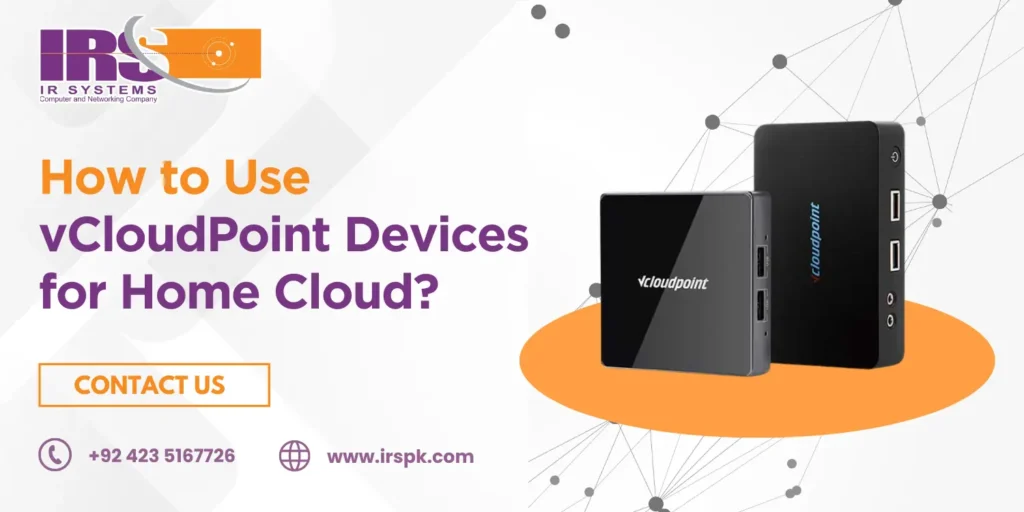
In today’s digital age, managing files, media, and personal data across multiple devices has become a necessity. Whether you’re working remotely, studying, or simply storing family photos, a home cloud server gives you centralized storage, easy access, and security. But setting up and managing your private cloud doesn’t have to be expensive or complicated. That’s where vCloudPoint devices – such as the vCloudPoint S100V1 and vCloudPoint S100A1 – come in. In this blog, we’ll explore how you can use vCloudPoint devices for home cloud, their benefits, and why they’re becoming a preferred solution in Pakistan. We’ll also show you how IR Systems, an official vCloudPoint importer in Pakistan, can help you get started with your own private my cloud setup. What is vCloudPoint? vCloudPoint is a trusted name in zero client technology. Instead of buying multiple PCs for every family member or home office, you can use vCloudPoint zero client devices connected to a central server. Each device gives the user a personal desktop experience, but all the data, apps, and processing power remain securely on the server. This makes vCloudPoint an affordable and efficient choice for both home and business environments. In Pakistan, solutions like vCloudPoint S100V1 and vCloudPoint S100A1 are widely used for schools, offices, and increasingly for home setups. Why Use vCloudPoint Devices for Home Cloud? Before we dive into the how, let’s cover the why. A home cloud server with vCloudPoint offers: Centralized storage – Store all your media, files, and backups in one place. Secure access – Access your private my cloud securely from any device. Cost savings – Instead of buying multiple PCs, one server plus zero clients handles everything. Scalability – Easily add more vCloudPoint devices in Pakistan as your needs grow. Energy efficiency – Zero clients consume much less power compared to traditional PCs. For families, this means each member can have their own desktop environment without needing separate bulky hardware. For remote workers and students, it ensures access to shared files and applications 24/7. Key vCloudPoint Devices for Home Cloud Here are two of the most popular models you should consider: 1. vCloudPoint S100V1 (V1 vCloudPoint) The S100V1 is a compact, lightweight zero client designed for reliable and energy-efficient performance. Perfect for homes, it ensures smooth access to your home server without lag. Key Features: Ultra-low power consumption No OS, no maintenance needed Compact and silent design Centralized management 2. vCloudPoint S100A1 (A1 vCloudPoint) The S100A1 offers slightly enhanced performance and modern connectivity. It’s ideal for users who want a simple, plug-and-play zero client solution for their home cloud setup. Key Features: HDMI and VGA support USB ports for peripherals User-friendly and cost-effective Designed for multimedia-rich environments Both models integrate seamlessly into your home network, helping you build an affordable and efficient private cloud system. How to Set Up vCloudPoint Devices for Home Cloud Now let’s break down the process of setting up your home cloud server with vCloudPoint. Don’t worry – it’s easier than you think. Prepare Your Central Server Choose a reliable server PC or small NAS with enough storage to act as your central hub. Install your preferred server OS (Windows or Linux). Configure shared folders for documents, photos, and media. Connect vCloudPoint Devices Plug your vCloudPoint S100V1 or S100A1 into a monitor, keyboard, and mouse. Connect the device to your home network via Ethernet. Ensure your server and vCloudPoint device are on the same network. Install vMatrix Server Manager vCloudPoint devices use vMatrix Server Manager software to manage user desktops. Install this software on your central server. Add new user accounts for each family member or user in your home. Log In and Personalize Each family member logs into their personal account using the vCloudPoint device. Users can access their files, applications, and settings independently. All data remains stored centrally on the home server, ensuring security and backup. Enable Remote Access (Optional) For advanced use, configure your router to allow secure remote access. This way, you can access your private my cloud from outside your home – ideal for remote work or traveling. Benefits of Using vCloudPoint for Home Cloud Here’s what makes vCloudPoint stand out from other solutions: Cost Efficiency Buying multiple PCs is expensive. With one server and zero client devices, you save money upfront and on maintenance. Energy Savings Each zero client consumes only a fraction of the power of a traditional desktop, lowering your electricity bill. Easy Maintenance Since there’s no OS or local storage on vCloudPoint devices, there’s no risk of viruses or corrupted files on the clients. All updates are managed centrally on the server. Scalable Solution Need more users? Just add more vCloudPoint devices in Pakistan without buying extra PCs. User-Friendly Even if you’re not tech-savvy, vCloudPoint devices are easy to set up and manage. Why Choose IR Systems for vCloudPoint in Pakistan? When it comes to buying genuine vCloudPoint devices in Pakistan, choosing the right partner is crucial. IR Systems is a trusted vCloudPoint importer in Pakistan, offering original devices like the S100V1 and S100A1. Here’s why you should choose IR Systems: Official importer and distributor of vCloudPoint Competitive pricing for Pakistani customers Expert advice and technical support Quick delivery across Pakistan Tailored solutions for both home and business setups With IR Systems, you’re not just buying a product – you’re getting a complete solution backed by professional support. Practical Uses of a Home Cloud with vCloudPoint Still wondering how this setup helps at home? Here are some real-life examples: Family media hub – Stream movies, photos, and music to any connected device. Student study zone – Centralized storage for assignments, projects, and research. Remote work station – Securely access office files and apps from your home. Personal backup server – Keep all your important data safe and recoverable. Shared home office – Multiple family members working on separate desktops simultaneously. Conclusion Setting up a home cloud server doesn’t have to be expensive or complicated. With vCloudPoint devices like the S100V1 and S100A1, you can create a reliable,
Is vCloudPoint S100A1 Right for Your Workspace?
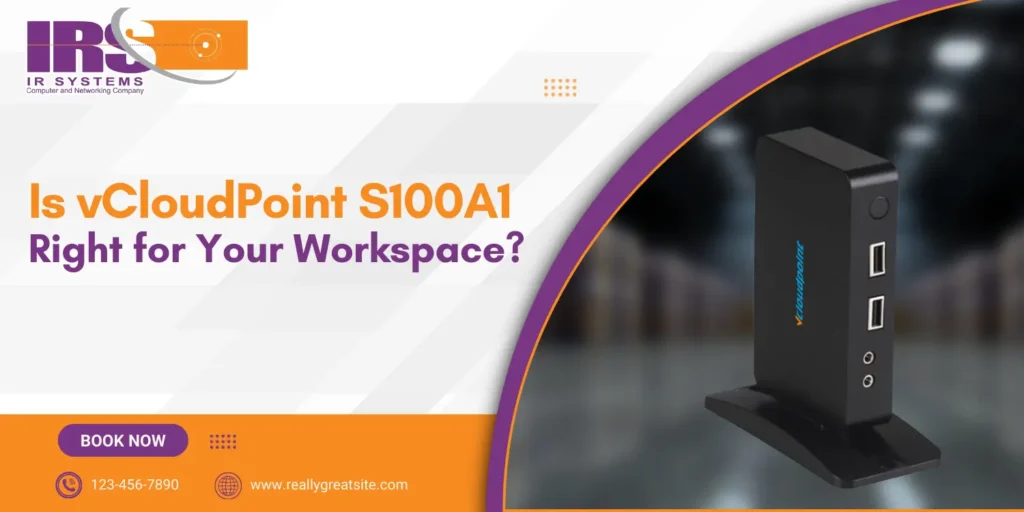
In today’s fast-paced digital era, managing IT infrastructure has become more complex than ever, especially for schools, small businesses, training centers, and government offices. Traditional desktop setups demand high upfront investments, constant maintenance, and significant energy consumption – all of which can overwhelm growing organizations. The need for a cost-effective, centralized, and energy-efficient solution has never been greater. That’s where the vCloudPoint S100A1 in Lahore, offered by IR Systems, steps in. This zero-client device eliminates the need for bulky, individual PCs by enabling multiple users to work from a single host computer. Whether you’re managing a classroom, office floor, or a training facility, the S100A1 delivers a full desktop experience for each user, without the high cost or maintenance burden. In this blog, we’ll explore how this powerful device is reshaping digital workspaces and why it’s the ideal choice for forward-thinking organizations. What Is the vCloudPoint S100A1? The vCloudPoint S100A1 is not a mini-PC or a thin client – it’s a zero-client device, meaning it has no local OS, no hard drive, and zero maintenance requirements. Instead, it works by connecting to a central PC or server where all computing takes place. Each S100A1 device acts as an independent workstation, offering a full Windows desktop experience for every user, while the actual processing is done on the host machine. This smart computing solution is perfect for: Educational institutions Corporate offices Call centers Training labs Libraries Healthcare setups Key Features of vCloudPoint S100A1 Here are the standout features that make the vCloudPoint S100A1 a smart investment for shared computing environments: Zero-Client Technology: No local storage, no OS, no malware risk. ARM Cortex-A9 Processor: Ensures fast connection and smooth desktop experience. Display Output: Supports VGA with up to 1920×1080 resolution. USB Ports: Comes with multiple USB 2.0 ports for keyboard, mouse, and peripherals. Ultra-Low Power Consumption: Uses just 5 watts – over 90% less than a standard desktop PC. Real-Time Computing: Users get a seamless and responsive desktop experience. Centralized Management: All software, updates, and user data are handled from one host machine. Why Businesses and Schools Choose vCloudPoint S100A1 The vCloudPoint S100A1 is a smart, cost-effective solution for schools and businesses seeking simplified, secure, and centralized computing: 1. Significant Cost Savings Traditional desktops are expensive – not just to buy, but to maintain. With the vCloudPoint S100A1, a single host PC can serve multiple users, drastically reducing hardware investments, electricity bills, and maintenance costs. 2. Centralized IT Management Managing individual PCs can become a nightmare for IT departments. With the S100A1, all user environments are stored and updated on one central machine. This simplifies system updates, software installation, and troubleshooting. 3. Enhanced Data Security Zero-client devices store no data locally, minimizing the risk of data loss or unauthorized access. For organizations handling sensitive data, such as schools and government offices, this is a huge benefit. 4. Eco-Friendly Operations With its ultra-low energy consumption, the S100A1 is an environmentally conscious solution. You can power dozens of terminals with the same energy needed for just a few traditional PCs. 5. Fast Deployment & Scalability Need to add more users? Simply connect more S100A1 units to your host PC – no need for additional setups or licensing headaches. This makes scaling your computing environment fast and easy. Ideal Use Cases for vCloudPoint S100A1 The vCloudPoint S100A1 is perfect for schools, offices, and labs needing efficient, low-cost, and centralized computing solutions: Education Build cost-effective computer labs where students get a full desktop experience without the cost of individual PCs. IT teams can manage everything centrally, reducing downtime and improving student access. Corporate Offices Deploy multiple employee workstations using a single host. Whether it’s for finance, HR, or customer support, S100A1 ensures all teams get high performance at low cost. Call Centers Manage agent desktops efficiently while keeping data centralized and secure. The S100A1 enables seamless workflow without worrying about hardware breakdowns. Training Centers Facilitate large training sessions with a high number of users. Trainers can control and manage all desktops from one host, making sessions more productive. How vCloudPoint S100A1 Works with NAS At IR Systems, we specialize in integrating NAS (Network Attached Storage) with devices like the vCloudPoint S100A1 to create a centralized digital workspace. Here’s how this pairing benefits you: Data Backup: Automatically store user data in secure storage systems. File Sharing: Seamless access to shared files and documents. Private Cloud: Build your own cloud solution without monthly fees. Enhanced Collaboration: Teams can access project files from anywhere on the network. Why Partner with IR Systems? At IR Systems, we don’t just sell zero-client devices – we build smart IT ecosystems. Our team works closely with schools, SMEs, and government organizations across Pakistan to ensure every deployment is smooth, scalable, and secure. Our End-to-End Services Include: Free consultation & IT needs analysis vCloudPoint installation and setup Integration with NAS storage Onsite training for admins and users Ongoing technical support & upgrades With us, you get more than a device. You get expert guidance and long-term IT value. Final Thoughts: The Future of Desktop Computing Is Here In a world where efficiency, cost-effectiveness, and security are key, the vCloudPoint S100A1 offers a powerful alternative to traditional desktop setups. Whether you’re looking to cut costs, simplify IT management, or modernize your workplace, this zero-client solution checks all the boxes. At IR Systems, we help you build a smarter, centralized computing environment that grows with your business. Let’s work together to bring powerful, energy-efficient, and secure computing to your office, school, or training lab. Contact Us Today Ready to modernize your IT setup with vCloudPoint S100A1? Let IR Systems guide your transformation. Looking to set up efficient, centralized workstations for your school, office, or training center? Let IR Systems guide your journey. Contact Us now for a free consultation and discover how vCloudPoint devices in Pakistan can reshape your workspace.
Why Should You Switch to vCloudPoint S100A1 Now?
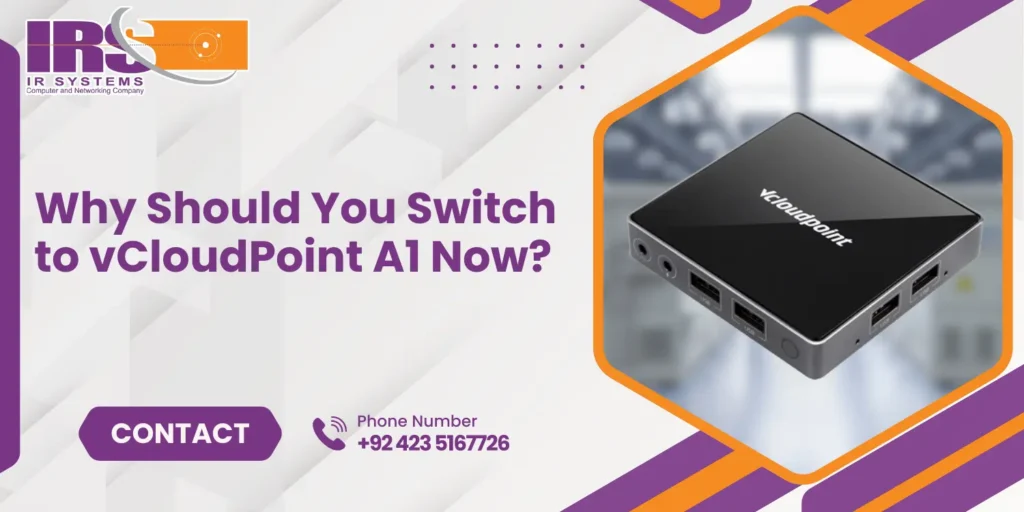
In an era where digital transformation is reshaping every aspect of business, finding the right IT solutions to support growth and efficiency is essential. From schools and small offices to large enterprises, the need for affordable, scalable, and low-maintenance computing systems has never been higher. That’s where the vCloudPoint S100A1 comes in – a cost-effective zero-client solution designed to simplify desktop computing while maximizing performance. At IR Systems, we proudly offer the vCloudPoint S100A1 device as part of our mission to deliver reliable and advanced endpoint computing solutions across Pakistan. Whether you’re managing 10 workstations or 1000, the vCloudPoint S100A1 ensures seamless computing without the overhead of traditional desktop systems. What is vCloudPoint S100A1? The vCloudPoint S100A1 is a compact and energy-efficient zero-client endpoint device that connects to a shared host computer. Instead of running its own operating system or software, it leverages the resources of a central PC or server. This centralized approach drastically reduces hardware costs, simplifies maintenance, and boosts security. Designed with educational institutions, call centers, training labs, and SMEs in mind, the A1 enables multiple users to work independently from a single server, using their own virtual desktop environments. Technical Specs That Matter Let’s break down the hardware behind the vCloudPoint S100A1: Feature Details Model A1 Processor Cortex-A7 Quad-Core RAM 1GB DDR3 Display Output 1× HDMI USB Ports 4× USB 2.0 Networking 10/100 Mbps Ethernet (RJ45) Audio 1× Mic, 1× Speaker Power Consumption Just 5W Dimensions 93×90×18 mm Weight 150g Despite its tiny footprint, this device packs the essentials for everyday computing, making it perfect for light to moderate workloads, such as web browsing, word processing, customer service apps, and learning platforms. Why Businesses Choose vCloudPoint S100A1 Here are some of the most compelling reasons businesses are switching to the vCloudPoint S100A1: Cost-Efficiency Deploying traditional desktops for every user can be expensive. With vCloudPoint S100A1, multiple users share a single host machine, cutting hardware costs by up to 70%. Centralized Management No more running from desk to desk for software updates or maintenance. Everything is handled from the host system, saving time and reducing IT overhead. Energy Saving Consuming just 5 watts of power, the S100A1 dramatically reduces your organization’s electricity usage, supporting green IT initiatives and lowering operational costs. Enhanced Security Because data and applications are stored centrally, there’s minimal risk of data loss or breaches at the endpoint. This makes it a smart choice for organizations with sensitive information. Flexible Deployment The A1 supports various applications – educational labs, call centers, training institutions, public access terminals, and even corporate workstations. How vCloudPoint S100A1 Works with NAS Storage At IR Systems, we believe in building complete ecosystems. While the S100A1 handles the endpoint computing, NAS (Network Attached Storage) devices complement it by offering centralized storage, backup storage device for business, and content access. Here’s how the S100A1 + NAS combination helps you build a smarter IT setup: Central File Storage: All users access files saved on the NAS without duplication. Real-Time Data Access: High-speed NAS systems ensure that files open quickly and save instantly. Data Backup and Recovery: Schedule automatic backups of all workstation data to your NAS device to avoid data loss. Cloud-Like Experience: With the right setup, your local NAS behaves like a private cloud – secure, fast, and cost-efficient. This synergy creates a robust and secure infrastructure with centralized control and distributed computing. Ideal Use Cases for vCloudPoint S100A1 Wondering if this is the right fit for your organization? Here are industries and scenarios where the S100A1 shines: Schools & Colleges Equip computer labs or classrooms without breaking the budget. Teachers and students enjoy independent workstations from one host PC. Call Centers Cut costs on hardware and power while offering each agent a fast, reliable, and secure workspace. Training Centers Deploy dozens of learning terminals quickly and efficiently with centralized content management. Public Access Areas Perfect for libraries, info kiosks, and reception desks where multiple users interact daily. Startups & Small Offices Ideal for businesses looking to expand their workforce without investing heavily in full desktops for every employee. Future-Ready, Scalable IT Infrastructure What makes the vCloudPoint S100A1 truly powerful is its scalability. As your team grows, you don’t need to worry about investing in entire new PCs. Just add another A1 device and connect it to your existing host system. It’s cost-effective, easy to manage, and scalable – everything modern IT should be. And when integrated with NAS storage solutions from IR Systems, you’re not only improving daily operations but also future-proofing your entire digital workspace. Why Choose IR Systems? We’re not just providers – we’re partners in your IT success. At IR Systems, we bring years of expertise in delivering smart storage, computing, and backup solutions across Pakistan. When you choose IR Systems for your vCloudPoint S100A1 deployment, you benefit from: Expert advice tailored to your needs Seamless installation and configuration End-to-end support, including NAS integration Training for your team Long-term support and upgrades We work closely with clients to deliver cost-effective and future-proof setups, whether you’re running a school lab or a growing enterprise. Let’s Build Your Smart Workspace Together Ready to take your computing infrastructure to the next level? Whether you’re looking to save costs, reduce complexity, or scale your operations, the vCloudPoint S100A1 with NAS integration is the perfect solution. Contact IR Systems today for a free consultation and see how we can help you streamline your IT environment with innovative, affordable solutions.