Secure NAS Storage & Backup Solutions in Lahore
In today’s digital-first world, data is the heartbeat of every business. From startups to large enterprises, managing and protecting business-critical information has never been more important. Whether you’re storing customer records, internal files, or large media content, your storage infrastructure must be fast, secure, and always accessible. That’s where NAS storage and professional backup solutions in Lahore come into play. At IR Systems, we understand how essential data protection is for businesses in Pakistan. We specialize in delivering network-attached storage solutions that are both powerful and user-friendly – especially featuring industry leaders like QNAP NAS storage. In this blog, we’ll walk you through why NAS is a smart investment, how it enhances backup strategies, and how IR Systems can help you build a future-proof storage solution right here in Lahore. Why NAS Storage Is It Important? NAS (Network-Attached Storage) is a dedicated file storage system that connects to your network, allowing multiple users and devices to store and access data in one centralized place. Unlike basic external drives or cloud-only options, NAS delivers a hybrid of performance, security, and collaboration. Benefits of NAS Storage: Centralized Access: Share and retrieve files across your office or remotely via secure logins. Scalability: Easily expand storage without overhauling your entire system. Automated Backups: Schedule regular data backups to prevent loss or corruption. Cost-Effective: One-time hardware investment with long-term returns. Data Security: Advanced encryption and user permission controls keep your files safe. In short, NAS empowers businesses with a smart and structured way to manage their growing data. Why Lahore Businesses Need Smarter Backup Solutions Lahore’s business ecosystem is evolving – fast. With increased digitization, companies can no longer rely on USB drives or scattered cloud folders. Businesses across industries now face risks such as cyberattacks, accidental deletion, ransomware, and hardware failures. Without a reliable backup solution in Lahore, you risk losing everything in seconds. That’s where IR Systems steps in. We help you implement NAS storage devices that automatically back up your files, allowing you to recover data whenever needed. Combined with QNAP NAS storage, you can benefit from versioning, file syncing, remote replication, and even hybrid cloud backup – ensuring total data protection without complexity. The Power of QNAP NAS Storage When it comes to high-performance network-attached storage solutions, QNAP NAS storage is a top choice for businesses of all sizes. QNAP devices are known for their speed, stability, and easy-to-use interface. At IR Systems, we recommend QNAP for its unmatched flexibility and reliability. Key Features of QNAP NAS: Multi-Device Backup: Back up laptops, desktops, and servers all to one place. Snapshot Technology: Recover previous file versions in case of accidental changes. Hybrid Backup Sync: Sync with cloud platforms like Google Drive, OneDrive, or Amazon S3. Remote Access: Access files securely from anywhere in the world. RAID Protection: Keep your data safe even if a hard drive fails. These features make QNAP a perfect solution for offices, creative studios, IT companies, and educational institutions in Lahore. Real-World Uses of NAS Storage in Lahore Our clients in Lahore come from diverse industries, but they all share one common goal – to keep their data secure and accessible. Here’s how different businesses are using NAS storage: Retailers: Store inventory records, sales history, and customer information in one secure place. Educational Institutes: Keep student records, e-learning content, and faculty documents backed up and organized. Healthcare Providers: Manage sensitive patient data with full compliance and security. Marketing & Media Agencies: Back up large video files, design assets, and client projects with ease. At IR Systems, we don’t just offer products – we offer complete network-attached storage solutions tailored to your needs. Why Choose IR Systems for NAS & Backup Solutions in Lahore? We know that choosing a storage solution can be overwhelming, especially with so many options in the market. That’s why at IR Systems, we guide you every step of the way – from understanding your data needs to deploying the ideal NAS storage and backup solution in Lahore. Here’s What Sets Us Apart: Local Expertise: We understand the unique needs of Pakistani businesses. Certified Team: Our engineers are trained in QNAP, Asustor, and other top NAS systems. Custom Solutions: We recommend storage based on your workflow, size, and budget. Ongoing Support: We offer post-deployment maintenance, troubleshooting, and upgrades. We don’t just sell hardware; we become your storage partners. Hybrid Backup: Combining NAS with Cloud Storage For the ultimate protection, we help businesses combine NAS storage with cloud backup. This hybrid setup ensures that even if your office hardware is damaged or stolen, your files are still safe in the cloud. With QNAP NAS storage, you can automate: Local-to-cloud backup File syncing across platforms Data recovery from any device This layered approach gives your business the flexibility and peace of mind it needs in today’s unpredictable world. Future-Proof Your Business with Smart Storage The future is digital – and your storage needs will only grow. Whether you’re a startup in Johar Town or an enterprise in Gulberg, your business deserves a robust storage infrastructure that adapts as you grow. By choosing a smart combination of NAS storage, backup solutions in Lahore, and backup solutions in Lahore, you’re not just storing files – you’re building resilience. Contact IR Systems – Let’s Secure Your Data Today Don’t wait until you lose important data to take action. Secure your information now with the help of IR Systems. Get in Touch Today Whether you need a new NAS setup, backup integration, or a full network-attached storage solution, our experts at IR Systems are here to help. We’ll guide you from consultation to installation and beyond, ensuring your data is secure and easily accessible. Have questions or need a custom quote? Contact us today – and let’s build a storage solution that grows with your business.
Why Asustor NAS Storage Is Your Best Backup Solution
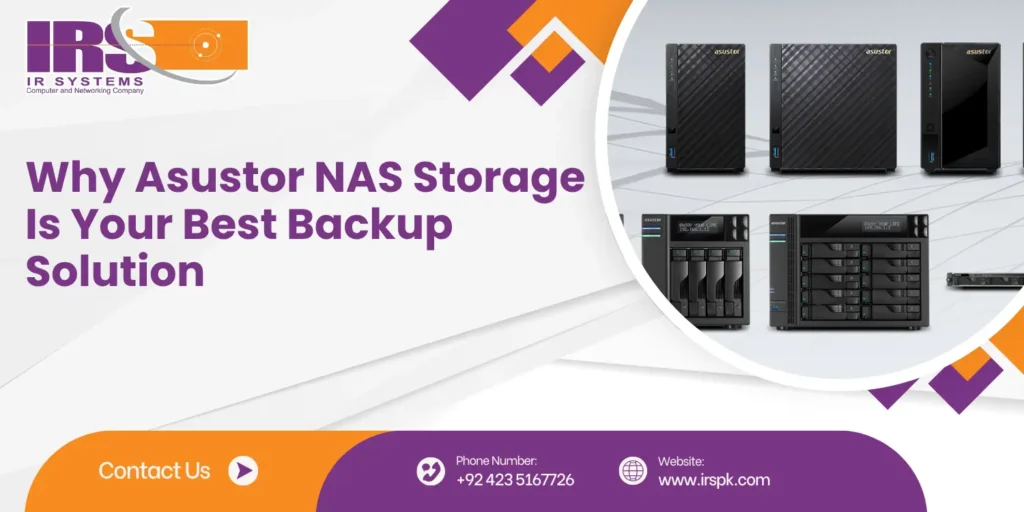
In today’s digital-first world, data is the backbone of every business – and losing it is simply not an option. Whether you’re a small startup or a growing enterprise, data backup is one of the most critical parts of your IT strategy. That’s where Asustor NAS storage steps in – a smart, secure, and scalable solution trusted by professionals around the globe. At IR Systems, we specialize in modern NAS storage solutions, and we’ve seen firsthand how Asustor helps businesses across Pakistan stay protected, productive, and ready for the future. In this blog, we’ll explore why Asustor NAS storage systems are becoming the go-to choice for backup data storage, how they support server cloud backup, and how they can transform your backup strategy – without breaking your budget. Why Should You Care? Asustor is a leading name in the NAS (Network Attached Storage) space, known for delivering high-performance, user-friendly, and reliable storage solutions. NAS is essentially a storage server that connects directly to your network, making it easy to access, share, and secure your data from multiple devices. What makes Asustor NAS storage different is its blend of powerful hardware, intuitive interface, and advanced data protection features – all wrapped in a cost-effective package. If you’re tired of juggling USB drives, external hard disks, or worrying about ransomware attacks, an Asustor NAS might be exactly what your business needs. Why Businesses Need NAS for Backup Data Storage Imagine this: one of your team members accidentally deletes a key client file, or your main server crashes due to a power surge. Without a robust backup system, that data might be gone forever. This is where backup data storage using Asustor NAS systems becomes essential. Top Benefits of Using NAS for Backups: Automatic and Scheduled Backups Set it and forget it. Asustor lets you automate backups on a schedule that suits your needs – daily, weekly, or even hourly. RAID Support for Redundancy Asustor NAS supports various RAID levels, meaning your data is mirrored across multiple drives. If one fails, you don’t lose your information. Remote Access and Server Cloud Backup Access your files from anywhere, anytime – whether you’re at home, in the office, or on the move. Asustor supports integration with public cloud services like Google Drive, Dropbox, OneDrive, and more. Military-grade Encryption Keep sensitive business data secure with built-in encryption and multi-level access control. How Asustor NAS Storage Systems Stand Out There are many NAS brands out there, so why are businesses choosing Asustor? Let’s take a closer look at the features that set it apart. 1. User-Friendly Interface The ADM (Asustor Data Master) operating system is sleek and intuitive – even for non-technical users. You don’t need an IT background to manage your files or set up a backup job. 2. Fast Performance With powerful CPUs and expandable RAM, Asustor devices deliver lightning-fast read/write speeds – even when multiple users access data simultaneously. 3. Expandable Storage Start small and grow big. Asustor NAS systems allow you to add more drives as your storage needs increase. 4. Energy Efficient Asustor NAS devices consume less power than traditional servers, making them a green and cost-effective backup solution. 5. Cloud Integration Hybrid cloud support gives you the best of both worlds – on-premise speed and cloud flexibility. It’s ideal for server cloud backup strategies. Real-World Use Cases: How Businesses Use Asustor At IR Systems, we’ve implemented Asustor NAS storage systems across various industries. Here are a few examples of how different sectors benefit: Healthcare Providers Securely store patient records, appointment histories, and lab reports with full compliance. Asustor’s encryption and access controls ensure sensitive data stays protected. Retail and E-Commerce Manage inventory files, sales records, and customer data centrally. Sync with cloud services for added redundancy. Educational Institutions Back up course material, student records, and administrative documents in one place – accessible to staff from anywhere. Small Businesses and Freelancers Affordable, secure, and easy to use. Even solo entrepreneurs can benefit from automatic data backups and secure remote access. Asustor and Server Cloud Backup – A Perfect Match One of the best features of Asustor is its seamless support for server cloud backup. This hybrid approach combines the safety of local NAS with the scalability of cloud storage. You can back up critical data to your NAS and then set up automated synchronization with services like: Amazon S3 Dropbox Microsoft Azure Google Drive OneDrive This gives you double protection – even if your local NAS faces issues, your data is still safe in the cloud. Why Choose IR Systems for Your Asustor NAS Setup? Choosing the right NAS is just the first step. Setting it up properly, securing it, and optimizing it for your needs is where the real value comes in – and that’s where we help. At IR Systems, we don’t just sell storage solutions. We design, install, and manage complete data protection strategies tailored for your business. What You Get with IR Systems: Expert consultation to choose the right Asustor NAS model RAID setup and performance optimization Cloud backup configuration Ongoing support and updates Friendly, local service you can trust We’ve helped businesses across Pakistan protect their data, reduce downtime, and achieve peace of mind – and we’d love to help you too. Final Thoughts: Back Up Smart with Asustor & IR Systems In a time where data is your most valuable asset, there’s no room for uncertainty. Asustor NAS storage offers a powerful, secure, and budget-friendly way to safeguard your files, support remote work, and integrate seamlessly with your cloud backup strategy. Whether you’re a small team or a growing enterprise, you deserve backup systems that work reliably and effortlessly. Let IR Systems be your trusted partner in building a smart, secure, and scalable backup solution with Asustor. Ready to Back Up with Confidence? Protect your business the smart way. Contact IR Systems today for a free consultation and let us help you choose the best Asustor NAS solution for your backup needs.
What Is the Best QSAN SAN Storage for Cloud Backups?
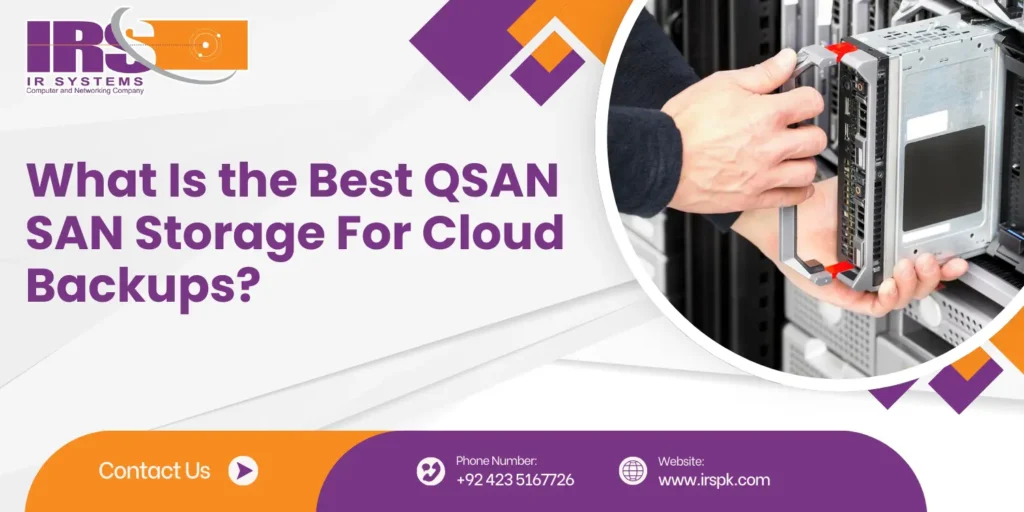
In today’s digital-first world, data is at the heart of every business. Whether you’re a small startup or a growing enterprise, protecting that data with secure, scalable, and high-speed storage is non-negotiable. If your operations rely on cloud backup storage, choosing the right SAN storage system is critical – and that’s where QSAN stands out. At IR Systems, we specialize in building NAS and SAN storage environments that are optimized for performance, data protection, and scalability. In this guide, we’ll explain why QSAN SAN storage is an ideal solution for cloud backups, highlight top-performing models like Qsan XS 5312, Qsan XS 3312, and Qsan XS 3316, and explore how to align your storage infrastructure with your backup strategy. The Importance of SAN Storage in Backup Infrastructure A SAN (Storage Area Network) offers block-level access to data over a high-speed network. This makes it significantly faster and more efficient than traditional external drives or direct-attached storage. When dealing with large datasets or frequent cloud backups, speed, consistency, and uptime are everything – and SAN delivers on all fronts. Why SAN Over Other Storage Types? Block-level storage supports databases, applications, and virtual machines more effectively. Fibre Channel or iSCSI protocols offer high-speed communication. RAID support ensures redundancy and fault tolerance. Easily integrates with backup software and cloud platforms. In short, SAN storage is built for businesses that take their data protection seriously. Where NAS Fits In: A Perfect Complement to SAN While SAN is designed for speed and performance, NAS (Network Attached Storage) is best for file-level access across teams. At IR Systems, we often recommend a hybrid approach that combines QSAN SAN storage with powerful NAS solutions to handle different parts of your business workflow. NAS Storage Benefits: Centralized file access for remote teams Lower cost of entry for basic file sharing Compatible with Windows, macOS, and Linux Excellent for daily backup data storage of documents, media, and reports With the right strategy, your SAN handles mission-critical backups and VMs, while NAS covers collaborative work and light storage. Together, they form a future-ready infrastructure. QSAN: Simplifying Enterprise-Grade Storage QSAN has built a solid reputation for delivering enterprise features without overwhelming complexity or cost. With intuitive interfaces, robust hardware, and reliable firmware, QSAN products are ideal for businesses transitioning to cloud-first environments. Key QSAN Features for Cloud Backups: Snapshot and clone support for point-in-time data recovery Cloud gateway functions for syncing to public clouds (like AWS, Azure) Data deduplication to reduce storage footprint Synchronous and asynchronous replication S.M.A.R.T. monitoring for proactive maintenance Plus, their SAN systems are optimized for integration with backup software like Veeam, Acronis, and Nakivo – which makes deployment faster and easier for your IT team. Detailed Comparison: QSAN SAN Models Ideal for Backups Let’s break down three of the most recommended QSAN SAN models – each suited for different business needs: Qsan XS 5312 – Enterprise SAN Storage at Peak Performance The Qsan XS 5312 is built for businesses that require maximum throughput and always-on availability. It’s ideal for managing large-scale backup data storage or running mission-critical applications on virtual machines. Specs & Highlights: Dual-controller architecture with high availability failover Supports 16Gb Fibre Channel, 10GbE iSCSI, and SAS SSD caching and auto-tiering support for performance tuning Redundant power and cooling systems for uptime 12 x 3.5″/2.5″ bays with expansion options Use Case: Financial institutions, government agencies, healthcare systems – any business with complex data workflows and backup demands. Qsan XS 3312 – Balanced Storage for Mid-Size Businesses The Qsan XS 3312 strikes a perfect balance between performance, affordability, and scalability. It’s an excellent mid-tier SAN solution for businesses looking to centralize backups without overspending. Specs & Highlights: 12-bay chassis with scalable expansion Dual-active controllers with built-in management Supports SSD, SATA, and SAS drives 10GbE support with multi-pathing for faster access Intuitive GUI for simplified backup management Use Case: Digital agencies, law firms, schools, or medium-sized enterprises that need reliable cloud backup storage with high availability. Qsan XS 3316 – Expandable Backup Powerhouse Need more room to grow? The Qsan XS 3316 offers all the benefits of the XS 3312 but with 16 bays instead of 12. This allows more flexibility for growing teams or businesses with heavy backup requirements. Specs & Highlights: 16-bay form factor with seamless scale-out options Compatible with VMware, Citrix, and Hyper-V Built-in data security: snapshot, replication, and WORM support High-speed interfaces for consistent backup performance Use Case: Data centers, media production houses, e-commerce platforms – anyone needing to scale backup operations without system replacement. Real-World Applications of QSAN SAN Storage Let’s take a look at how different industries benefit from QSAN SAN storage: Healthcare: Securely store and back up patient records and imaging files to meet HIPAA compliance. Retail: Centralize transaction logs, product databases, and inventory backups. Education: Keep administrative data, student records, and online learning material safe. Finance: Fast and secure backups for transactional databases and compliance reports. Legal Firms: Archive sensitive documents and ensure safe retrieval with version control. By using SAN storage tailored to these workflows, businesses enjoy faster recovery times, less downtime, and full control over their data lifecycle. Why Partner with IR Systems? At IR Systems, we don’t just sell hardware – we offer end-to-end storage solutions designed around your business. From choosing the right QSAN model to configuring your SAN/NAS network and planning your backup schedule, we’re with you every step of the way. What We Offer: Consultation & Requirement Analysis Custom SAN & NAS Configuration On-site Deployment & RAID Setup Cloud Sync Integration 24/7 Technical Support & Monitoring We’ve worked with companies across Pakistan, helping them secure their digital assets with reliable QSAN SAN storage solutions that scale as they grow. Final Thoughts: Invest in Smart Backup Infrastructure Your business data is too valuable to leave unprotected. By choosing a smart, scalable, and high-performance SAN storage system like those from QSAN, you’re laying the foundation for fast, secure, and efficient cloud backup storage that grows with you. Whether you need the power of the Qsan XS
Top NAS Storage Devices for Small Business Backup
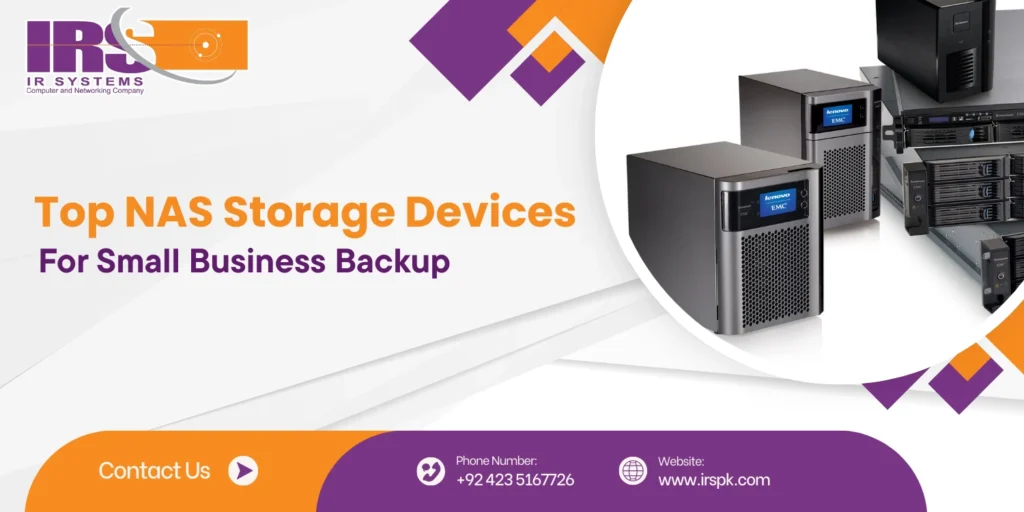
In today’s hyper-connected business environment, data is the foundation of operations, innovation, and success. Whether you’re a startup or an established enterprise, safeguarding this valuable asset is critical. That’s where NAS storage steps in as a reliable, secure, and efficient solution for network backups. At IR Systems, we specialize in cutting-edge network attached storage devices tailored for businesses in Pakistan. Our goal is to provide scalable and smart backup solutions that adapt to your unique data needs. In this comprehensive blog, we explore the full potential of NAS storage, its real-world applications, benefits for small businesses, and why it’s a must-have for modern data protection. How Does NAS Storage Work for Network Backups? NAS (Network Attached Storage) is a dedicated data storage device connected to a network, allowing multiple users and devices to store and retrieve data from a centralized location. Unlike USB drives or external hard disks, NAS doesn’t require direct access to a computer. It operates independently, connected to your internal network (LAN), and can be accessed by authorized users anytime. Core Features of NAS: Centralized file management Real-time data sharing Automatic backups Remote access RAID redundancy This makes network access storage a perfect fit for businesses that value data integrity, team collaboration, and seamless access. Why Secure Network Backup Is a Priority Cybercrime, hardware failure, accidental deletion, or ransomware attacks can cripple an organization. A secure network backup system ensures business continuity and fast recovery in emergencies. Key reasons to prioritize backups: Prevent irreversible data loss Maintain customer trust Meet legal compliance Recover quickly after disasters NAS storage offers all of this and more through automated, encrypted backups, with minimal manual intervention. Top Benefits of Network Attached Storage for Businesses Whether you’re managing gigabytes or terabytes, NAS devices are flexible and scalable. Here’s what makes them ideal for modern companies: 1. Centralized File Access and Control All your data is in one place. No more hunting files across laptops or USBs. Admins can easily manage user access and permissions. 2. Data Redundancy with RAID Most NAS systems support RAID configurations (Redundant Array of Independent Disks). This protects your data even if a hard drive fails. 3. Scalable Architecture Start with 2-bay models and expand to 8 or more as your data grows. No need to overhaul the system every few months. 4. Automated and Scheduled Backups Set up daily, weekly, or hourly backup routines. It runs in the background, keeping your data updated without manual effort. 5. Remote and Mobile Access Access your data from any device, anywhere in the world using secure mobile apps or browser logins. NAS Storage for Small Business: A Cost-Effective Powerhouse Small businesses often believe secure storage is expensive or complex. The truth is, NAS storage for small business is one of the smartest investments you can make. Benefits for SMEs include: Low upfront cost No need for full-time IT support Plug-and-play configuration Safe document sharing across departments Example: A digital marketing agency using Synology NAS can back up client files, manage assets, and collaborate in real-time with designers and writers across multiple offices. Use Cases: Where NAS Truly Shines Healthcare: Secure patient records, lab reports, and imaging files. Education: Store and share class materials, research data, and administrative documents. Legal: Archive case files, contracts, and confidential communication. Retail: Maintain inventory logs, sales records, and customer databases. Creative Agencies: Manage heavy files like 4K videos, designs, and project timelines. Each use case benefits from the combination of storage, speed, and security NAS provides. How IR Systems Tailors Backup Solutions for You IR Systems is more than a hardware provider. We offer customized storage solutions based on your business size, data requirements, and future growth plans. Our services include: On-site installation and training Configuration of RAID and permissions Continuous support and upgrades Integration with cloud platforms (hybrid backups) We believe every business deserves enterprise-grade data protection without enterprise costs. Security and Compliance with NAS Modern NAS devices are built with security in mind. Features like firewall settings, access logs, and SSL encryption ensure your data is always protected. Additional security options include: Two-factor authentication IP blocking Antivirus integration Snapshot recovery For regulated industries, this level of control helps meet compliance standards like HIPAA, GDPR, and others. Future-Proof Your Business with Scalable NAS Solutions As your business grows, your data does too. NAS grows with you. IR Systems ensures your infrastructure can scale with: Additional drive bays Higher bandwidth support Cloud sync options Virtual Machine hosting in NAS (for advanced users) Conclusion: The Smarter Way to Protect Business Data From daily file access to critical disaster recovery, NAS storage gives small businesses a smart, secure, and scalable way to manage data. With a reliable network access storage setup, you gain centralized control, automated backups, and easy file sharing – without needing a large IT team. It’s a practical solution designed to grow with your business while keeping your data safe and accessible at all times. IR Systems makes it easy to implement the right network attached storage device tailored to your needs. Whether you’re starting fresh or upgrading your current setup, their team ensures a smooth process from consultation to deployment. Ready to strengthen your backup strategy? Contact us today to get expert advice, customized solutions, and long-term support that helps your business thrive.
Best NAS Storage & Backup Solutions in Pakistan
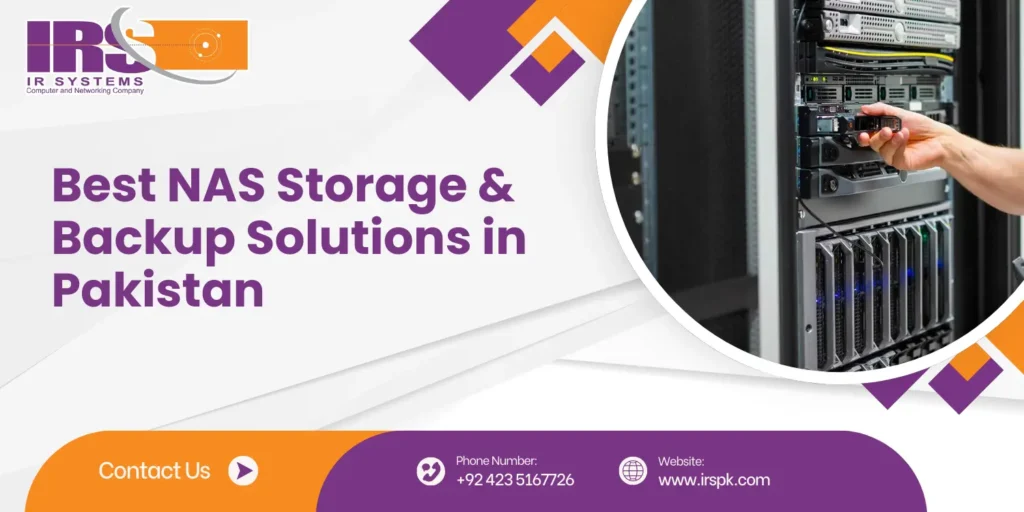
In today’s fast-moving digital world, managing and securing data efficiently is critical for every business. Whether you’re a startup, a mid-sized company, or a large enterprise, you need reliable storage that can grow with your data demands. That’s where NAS Storage (Network-Attached Storage) steps in – offering businesses in Pakistan a robust, flexible, and secure way to store, manage, and back up their valuable information. At IR Systems, we specialize in providing the most advanced NAS storage solutions and backup systems tailored for organizations across industries. In this blog, we’ll explore what NAS storage is, how it benefits businesses, and why choosing the right backup solutions in Lahore and beyond is more important than ever. Why Does It Matter? NAS (Network-Attached Storage) is a dedicated data storage device connected to a network that allows multiple users and client devices to retrieve data from centralized disk capacity. Unlike traditional storage systems, NAS is designed for easy access, secure sharing, and seamless backup – making it a favorite among modern businesses. Key Advantages of NAS Storage: Centralized file sharing Scalable storage capacity Automated backups Enhanced data security Remote accessibility Low maintenance Whether you are a creative agency managing large media files or a law firm handling sensitive client documents, NAS solutions provide a dependable and organized system for storing and retrieving data. Why Businesses in Pakistan Need NAS More Than Ever With data growing at unprecedented rates and cyber risks on the rise, businesses across Pakistan – especially in urban centers like Lahore – need smarter ways to store and secure information. Local companies are increasingly turning to NAS storage not just as a place to save files but as a complete data management system. Here’s why: Growing digital transformation in sectors like healthcare, education, e-commerce, and finance is pushing the demand for secure and accessible data storage. Remote work and hybrid office models require systems that offer real-time collaboration and file access from anywhere. Data protection regulations and compliance requirements demand businesses maintain secure backups and recovery strategies. Backup Solutions in Lahore: Protect What Matters Most A good storage system is incomplete without a reliable backup. Accidents happen – whether it’s a hardware failure, human error, or cyberattack. That’s why businesses in Lahore and beyond are prioritizing strong backup solutions to ensure business continuity. At IR Systems, we deliver customized backup strategies that integrate seamlessly with your NAS setup. Our solutions are designed to provide: Real-time and scheduled backups Version control and file recovery Hybrid storage (on-site + cloud) Fast restore times for minimal downtime For companies handling sensitive data – like schools, clinics, media houses, or logistics providers – our backup solutions in Lahore offer peace of mind and compliance with data protection standards. QNAP NAS Storage: Smart, Reliable, and Scalable One of the leading NAS brands we proudly offer is QNAP NAS Storage – known globally for its smart features, durability, and user-friendly interface. QNAP devices are ideal for businesses of all sizes, and they come equipped with: RAID support for added data redundancy Built-in backup apps and cloud integration User access controls and encryption for security Surveillance station support for office security systems High-speed connectivity for seamless data transfer With QNAP NAS Storage, you’re not just buying a box with drives – you’re investing in a powerful storage ecosystem that boosts productivity and ensures your data is always safe and accessible. Network-Attached Storage Solutions for Every Industry At IR Systems, we understand that no two businesses are the same. That’s why we tailor our network-attached storage solutions to meet the specific needs of your industry. Some of the industries we serve include: Healthcare: Secure patient records, diagnostic imaging files Corporate offices: Centralized document management and team collaboration Media and Production: Store and stream 4K video and audio files Education: Manage student records, lesson plans, and digital classrooms E-commerce: Track product data, transactions, and customer communications Our storage solutions are built for speed, reliability, and data protection – so you can focus on your business, not your server room. Why Choose IR Systems for NAS and Backup Solutions? We’re more than just a tech provider – we’re your long-term data partner. With years of experience delivering premium NAS storage and backup systems in Pakistan, IR Systems is trusted by businesses that value performance, security, and professional support. Here’s what sets us apart: Authorized resellers of top NAS brands like QNAP Custom setup and configuration based on your environment On-site and remote technical support Training and after-sales service Competitive pricing with flexible plans Whether you’re a startup or a growing enterprise, we offer the network-attached storage solutions that fit your budget and future needs. Real Results: What Our Clients Are Saying We had issues with data loss before switching to IR Systems. Their QNAP solution gave us stability, and we’ve never looked back. – CEO, Lahore-Based Marketing Agency Their team walked us through every step, from planning to installation. The remote access feature has been a game changer. – IT Manager, Retail Business in Karachi These stories reflect what we strive for every day: smart, effective, and reliable data solutions that empower Pakistani businesses. Real Success Stories from Local Businesses We’ve worked with startups, retailers, schools, and law firms – each with different data challenges. With the right NAS Storage in place, these businesses have improved workflow, reduced data loss incidents, and enabled secure remote access for their teams. Whether you’re handling customer records, financial reports, or digital media, IR Systems has the right solution for you. Final Thoughts: Secure Your Data, Empower Your Growth In a world where information is currency, investing in the right NAS storage and backup solutions is not just a tech decision – it’s a business strategy. With IR Systems, you gain access to modern, efficient, and scalable storage tailored to your unique needs. Whether you’re based in Lahore, Karachi, Islamabad – or anywhere else in Pakistan – our team is ready to help you take control of your data. Let us design a
How SAN Storage Boosts Secure Network Backups
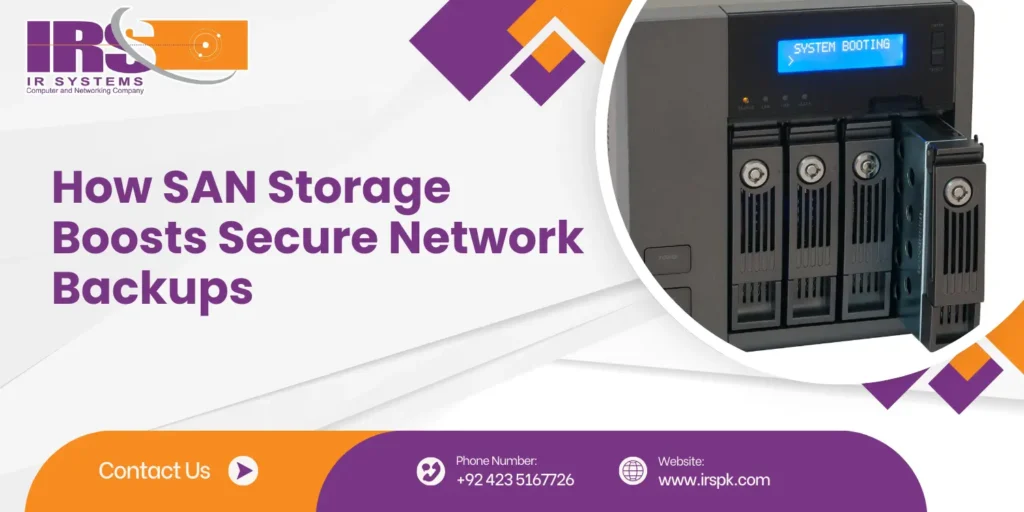
In a world where data fuels every decision and operation, businesses can’t afford to take chances with their backup solutions. Whether you’re running a startup or managing enterprise-level infrastructure, the need for reliable, fast, and secure data backups is undeniable. That’s where SAN Storage steps in as a game-changer. In this blog, we’ll explore how SAN storage not only simplifies backup processes but also enhances network security, performance, and scalability. We’ll also look into how SAN integrates with other storage solutions like Asustor NAS storage systems and supports efficient server cloud backup. Understanding the Basics: What is SAN Storage? SAN stands for Storage Area Network. It is a dedicated high-speed network that connects multiple storage devices to servers, making data available at the block level. Unlike direct-attached storage or basic network-attached storage, SAN storage offers enhanced performance, centralized management, and robust security features. As a key provider in this space, IR Systems specializes in offering tailored SAN storage solutions that empower businesses with dependable and scalable backup options. The Real Value: Why SAN Storage Matters for Backups SAN storage ensures faster, safer, and more reliable backups. It keeps your data centralized, reduces downtime, and gives you full control – making it a smart choice for any secure backup strategy: 1. Enhanced Backup Speeds One of the main challenges in traditional backup systems is the time they take. With SAN storage, data moves through high-speed fiber channels or Ethernet, drastically reducing backup windows. Your business operations won’t have to slow down just because backups are running. 2. Centralized Data Management Managing data across multiple servers can be overwhelming. QSAN centralizes all your storage, allowing you to control backup processes from a single point. This not only saves time but also reduces human errors. 3. Reliable Data Availability With SAN’s redundancy features and high availability, you’re not just backing up your data – you’re ensuring it’s always accessible, even in the face of hardware failures or cyber incidents. Fortifying Backup Security with SAN SAN storage strengthens backup protection by isolating data and preventing unauthorized access, ensuring your critical files stay safe: 1. Isolated Backup Environment SAN storage operates on a separate network, keeping it isolated from the main traffic. This isolation acts as a shield, making it more difficult for cyber attackers to infiltrate backup systems. 2. Advanced Access Controls Many SAN storage area network devices come equipped with role-based access and encryption options. This ensures only authorized users can access or modify backup data, making your backups not just secure but also compliant with data regulations. 3. Faster Disaster Recovery In the event of a disaster, time is critical. SAN storage allows for quick data recovery, helping businesses bounce back faster with minimal losses. Integration with server cloud backup further adds resilience to your disaster recovery strategy. Seamless Integration with Server Cloud Backup Businesses today are increasingly opting for hybrid storage solutions – a mix of on-premise and cloud. SAN storage can work hand-in-hand with server cloud backup, offering both local speed and remote redundancy. Data can be first written to the SAN system for fast access and then mirrored to the cloud for offsite protection. IR Systems offers integration – ready SAN setups that support such dual backup environments effortlessly. How SAN and Asustor NAS Storage Systems Work Together While SAN excels in block-level storage and performance, Asustor NAS storage systems are known for their file-sharing and user-friendly interfaces. Combining the two offers flexibility. Use SAN for performance-critical operations and backups, and NAS for everyday file access and collaboration. This balanced approach ensures data is not only safe but also readily available for your teams. At IR Systems, we help configure systems that blend SAN storage with Asustor NAS devices, creating a powerful and cost-effective storage ecosystem. Designed to Grow: SAN’s Scalability Advantage Every business grows, and so does its data. SAN storage is inherently scalable. You can start with a few terabytes and expand to petabytes without reconfiguring your existing setup. This makes SAN an ideal long-term solution for businesses that are growing or expect to scale their operations. With IR Systems, you get the guidance and hardware support needed to scale your storage efficiently. Why Businesses Trust IR Systems for SAN Storage At IR Systems, we understand that secure data backups are more than just a technical requirement – they’re the backbone of business continuity. Our team specializes in deploying tailored SAN storage solutions that align with your specific needs, whether you’re focused on data protection, disaster recovery, or performance optimization. We not only provide high-performance storage area network devices but also ensure seamless integration with cloud services and NAS systems, offering a complete, secure storage strategy. Final Thoughts: SAN Storage is the Foundation of Secure Backups In an age where data loss can mean financial and reputational damage, having the right storage solution is crucial. SAN storage offers unmatched speed, security, and scalability, making it the preferred choice for modern network backups. By combining SAN with server cloud backup and Asustor NAS storage systems, businesses can build a robust, flexible, and secure data environment. Secure Your Data Today with IR Systems If you’re ready to take your backup strategy to the next level, IR Systems is here to help. Our SAN storage solutions are designed for performance, built for security, and customized for you.Visit IR Systems to get started or contact us today for a free consultation. Let’s build a safer, smarter storage future together.
High-Speed SAN Storage with QSAN Devices
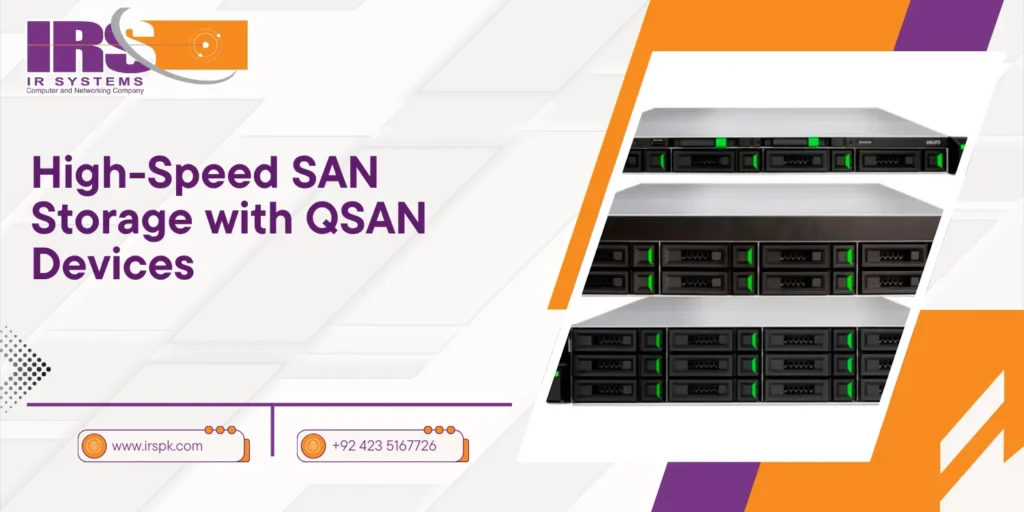
In an era where data is growing exponentially, modern businesses demand efficient, secure, and high-speed storage systems that can keep up with their digital transformation. Enter SAN storage – a technology designed for enterprises that need scalable and performance-driven data solutions. Among the top-tier SAN systems available today, QSAN storage devices have emerged as a preferred choice for businesses seeking high-speed access, advanced performance, and robust backup capabilities. This blog will explore how SAN storage works, the advantages of QSAN devices like the QSAN XS 5312, QSAN XS 3312, and QSAN XS 3316, and why they are the ideal storage solution for high-performance computing, virtual environments, and backup data storage. We’ll also discuss how integrating SAN with cloud backup storage can ensure maximum security and flexibility. Why SAN Storage Is a Game-Changer for Businesses SAN storage is designed to support enterprise environments that require low-latency, high-speed access to data. Unlike NAS (Network Attached Storage) or direct-attached storage, SAN operates at the block level, allowing multiple servers to access shared storage as if it were local. Key advantages include: Centralized storage management Ultra-fast data transfer rates Greater scalability High availability and redundancy Businesses that rely on real-time applications, virtualized workloads, or large-scale analytics benefit immensely from the performance boost SAN provides. The Power of QSAN Storage Devices When performance meets innovation, you get QSAN. QSAN storage is designed for environments that require fast, consistent, and scalable data access. With multiple product lines, QSAN caters to businesses of all sizes. Here’s a closer look at their leading devices: 1. QSAN XS 5312 The XS 5312 is a powerful, dual-controller SAN system offering superior performance. Key features include: 12-bay 2U chassis supporting SSD/HDD combinations Dual-active controller for high availability Up to 25GbE and 32Gb FC support for faster networking Snapshot and cloning for backup data storage This model is perfect for enterprises managing heavy databases, virtualization platforms, or high-transaction environments. 2. QSAN XS 3312 The XS 3312 is a mid-range SAN device with versatile features suitable for medium-sized businesses: 12-bay 2U design with modular expansion Intel Xeon processors for accelerated performance Inline compression and deduplication Built-in support for cloud backup storage For growing businesses, the XS 3312 strikes a balance between affordability and high-performance SAN storage. 3. QSAN XS 3316 The XS 3316 takes things further with more capacity and enhanced data security: 16-bay configuration for larger-scale deployments Advanced RAID support (0, 1, 5, 6, 10, 50, 60) Real-time replication and remote backup options Seamless integration with disaster recovery systems This model is best suited for large enterprises, data centers, and managed service providers. Key Benefits of Using QSAN SAN Storage Ultra-Fast Performance QSAN devices leverage powerful processors, NVMe caching, and advanced networking (25/32GbE), delivering lightning-fast IOPS and throughput. Enterprise-Grade Redundancy Dual controllers, hot-swappable drives, and power supplies ensure that operations continue without disruption—a must for enterprise environments. Efficient Backup Data Storage All QSAN systems include snapshot, clone, and backup features that enable scheduled or on-demand backup data storage and fast data recovery. Scalability Without Downtime Add additional enclosures or drives to QSAN SANs without shutting down operations. Seamless scaling keeps business running 24/7. Integrated Cloud Backup Storage QSAN SAN solutions support hybrid deployments with cloud backup storage, giving businesses the flexibility to protect data offsite while maintaining local performance. SAN Storage Use Cases Across Industries Virtualization & Hyper-Converged Infrastructure (HCI) QSAN SANs provide the speed and bandwidth needed for VMs, virtual desktops, and container workloads. Video Editing and Media Production Creative professionals benefit from high throughput and low latency for 4K/8K media rendering and editing workflows. Healthcare & Finance These sectors require instant access to mission-critical data and compliance with data protection laws. QSAN’s secure SAN storage helps meet those needs. Disaster Recovery Planning QSAN integrates easily with cloud backup storage, replication tools, and DR platforms to protect against data loss. How to Choose the Right QSAN Storage Device When selecting the best SAN storage system for your business, consider: Workload Requirements: Are you dealing with high-performance databases, virtual machines, or large file workloads? Scalability Needs: Choose a system that can grow with your data. Backup Strategy: Ensure the device supports local and cloud backup storage solutions. Budget: QSAN offers a range of devices from entry-level to enterprise-class. For example: QSAN XS 5312 – Best for high-speed enterprise workloads. QSAN XS 3312 – Ideal for mid-sized businesses needing flexibility. QSAN XS 3316 – Tailored for larger organizations with expansive backup needs. QSAN + SAN Storage = Future-Proof IT Infrastructure Combining the advantages of SAN architecture with QSAN’s advanced technology ensures your business remains agile, secure, and competitive. Whether you’re a growing SME or a global enterprise, QSAN’s reliable storage devices offer the performance, redundancy, and versatility to meet today’s challenges and tomorrow’s growth. With features like multi-site replication, real-time snapshots, high-availability architecture, and hybrid cloud backup storage options, QSAN makes SAN storage accessible and effective for any business. Conclusion: Power Your Enterprise with QSAN SAN Storage As data volumes continue to surge, investing in high-speed SAN storage is no longer a luxury—it’s a necessity. QSAN’s XS 5312, XS 3312, and XS 3316 models offer powerful, scalable, and cost-effective solutions that redefine how businesses manage and back up their data. Whether you’re planning a digital transformation, implementing disaster recovery, or just looking to upgrade your existing infrastructure, QSAN delivers performance without compromise. Ready to elevate your storage strategy? Contact us today to explore how QSAN devices like the XS 5312, XS 3312, and XS 3316 can transform the way you manage, protect, and scale your data.
NAS Storage Device for Secure Data Backup
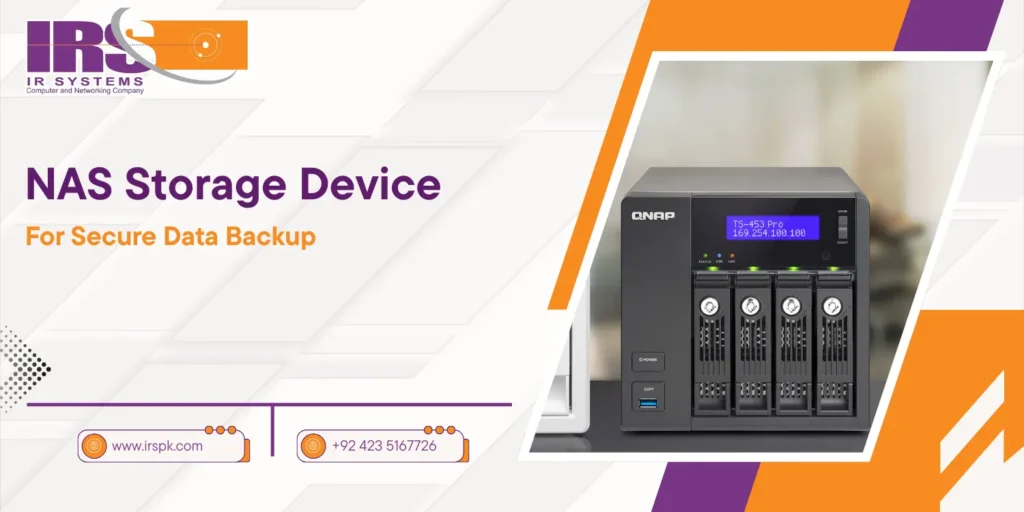
In the modern era, data has become the backbone of business operations, making its protection a priority. For organizations, both large and small, securing valuable data against loss or corruption is essential. NAS storage (Network-Attached Storage) devices have become a go-to solution for this very reason. These systems offer a centralized, secure, and accessible platform for managing and backing up important data. A network-attached storage device ensures that businesses can protect their data while providing quick access to it across the network. This article delves deep into NAS storage, explaining its key features, how it enhances data security, and why it’s an ideal solution for businesses of all sizes. Whether you’re a small business seeking cost-effective backup solutions or a larger enterprise in need of scalable storage, NAS storage offers unmatched security and reliability. Furthermore, we will explore the benefits of integrating network access storage with cloud backup services, ensuring that your data is always protected. What is NAS Storage and How Does it Work? At its core, NAS storage refers to a dedicated storage device connected to a network, which allows multiple users and devices to access the stored data. Unlike traditional hard drives that connect directly to a single computer, NAS provides centralized storage, allowing for better data organization, access control, and enhanced collaboration. NAS devices are perfect for businesses that need a secure, easily accessible, and scalable solution for data storage. Whether it’s for backup purposes, file sharing, or as a media server, network-attached storage devices can be used in various ways to streamline data management. Why NAS Storage is Essential for Secure Data Backup NAS storage provides secure, centralized data backup with redundancy and encryption, ensuring protection against data loss and unauthorized access: Centralized Data Storage The primary advantage of NAS storage is its centralized nature. Instead of spreading data across multiple hard drives or devices, NAS consolidates all files into one easy-to-manage location. This centralization not only simplifies data backup but also provides better control over who accesses and edits the stored data. Scalability for Growing Data Needs NAS storage devices are designed to scale with your business. As your data storage needs grow, you can easily add more drives or upgrade existing storage systems without disrupting your operations. This scalability is especially beneficial for businesses that anticipate an increase in data volume over time. Easy Data Access NAS devices provide quick access to stored data from anywhere in the network, ensuring seamless sharing and collaboration. Whether your team is in the office or working remotely, they can access the files they need without delay. NAS Storage for Small Businesses: A Cost-Effective Solution NAS storage for small business is the perfect choice for those who want to maintain a reliable and cost-efficient backup solution without the need for complex infrastructure. Small businesses face unique challenges when it comes to data protection, often lacking the resources for expensive server-based solutions or IT departments to manage them. With NAS storage, small businesses can achieve enterprise-level backup and data protection without breaking the bank. A network-attached storage device is easy to set up, manage, and maintain. Most NAS systems come with pre-configured software that simplifies data backup, making it ideal for businesses that don’t have dedicated IT teams. Moreover, NAS devices offer built-in redundancy features such as RAID (Redundant Array of Independent Disks) to ensure that data remains accessible even in the event of hardware failure. This ensures your business is always protected, even if one of the storage drives fails. How Network Access Storage Enhances Security Security is a top concern when managing sensitive data, and network access storage (NAS) provides several layers of protection to keep your data safe. Whether you’re dealing with customer data, financial records, or intellectual property, NAS systems offer robust security features to prevent unauthorized access. Many NAS storage devices come equipped with data encryption, both at rest and in transit, ensuring that data is securely stored and transferred across the network. Additionally, access controls can be easily configured, allowing businesses to grant or restrict access to specific users or devices. This ensures that sensitive data is only available to those who need it. Cloud Backup Integration for Enhanced Data Protection While NAS storage devices provide excellent local backup solutions, integrating them with cloud backup services offers an additional layer of security. Cloud backup ensures that your data is stored remotely, providing protection against physical threats such as fires, floods, or theft that could affect on-site storage systems. By using a NAS devices with cloud backup capabilities, businesses can implement a hybrid storage solution that combines the speed and security of local backups with the redundancy of cloud storage. This dual approach ensures that your business data is always accessible and protected from any threat, whether physical or cyber-related. Key Features to Look for in NAS Storage Devices When selecting a NAS storage devices for your business, it’s crucial to consider several factors that can enhance performance, security, and usability. Some of the key features to look for include: Capacity & Expandability: Choose a NAS that fits your current storage needs and can easily be expanded as your business grows. Data Redundancy Options: Opt for NAS devices with RAID configurations to protect against data loss in case of a drive failure. Security Features: Ensure that the device offers encryption, strong access controls, and user authentication mechanisms to keep your data secure. Ease of Use: Look for a network-attached storage device with an intuitive interface for easy setup and management. Cloud Integration: A NAS system with cloud backup capabilities offers an additional layer of protection and redundancy. Setting Up NAS Storage for Secure Data Backup Setting up a NAS storage devices is relatively simple, especially with the user-friendly interfaces offered by many modern systems. Here’s a step-by-step guide on how to set up your NAS for secure data backup: Choose the Right NAS Device: Start by selecting a NAS system that meets your storage and security needs. Install Hard Drives: Insert the
Top SAN Storage & Area Network Devices 2025
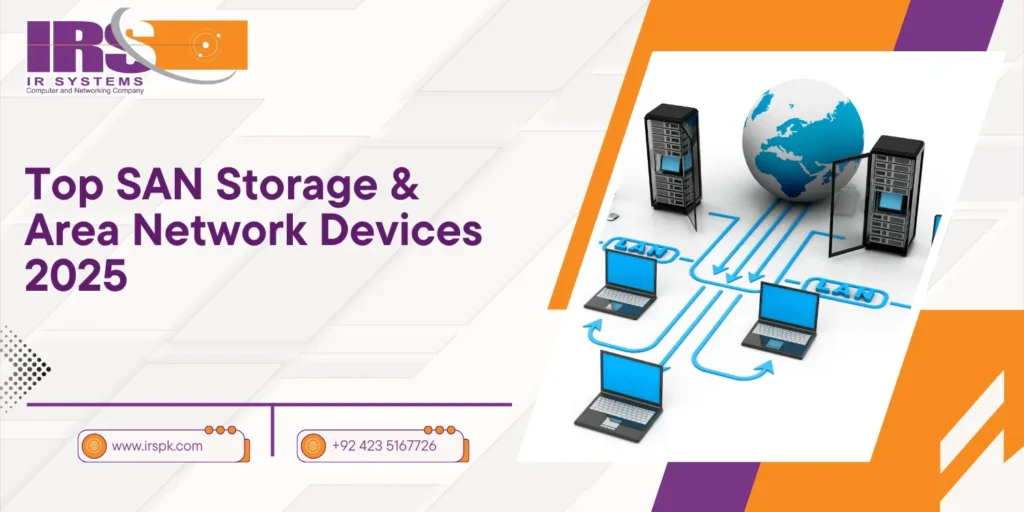
In 2025, businesses are more data-driven than ever before. Every click, transaction, video upload, or software update generates data—terabytes of it. To handle this data explosion, companies are turning to SAN storage. A Storage Area Network (SAN) is a high-speed, dedicated network that provides access to consolidated, block-level storage. It’s built to support enterprise workloads that demand performance, redundancy, and scalability. This blog explores the top storage area network devices shaping the future of enterprise data storage. We’ll discuss leading models, evolving technologies, and how integrating server cloud backup and Asustor NAS storage systems can help your business grow efficiently and securely. What is SAN Storage and Why Does It Matter in 2025? A storage area network (SAN) connects servers to storage systems, ensuring high-speed data access and centralized management. In 2025, SAN is more relevant than ever due to: Increased cloud workloads Remote and hybrid work environments Real-time analytics and AI processing Demand for faster disaster recovery Businesses need solutions that are secure, scalable, and agile. SAN storage delivers on all fronts. Benefits of Modern SAN Storage Systems Modern SAN solutions come with a range of features that traditional systems simply can’t compete with: Ultra-fast data transfers for high-performance applications Advanced redundancy and backup to prevent data loss Centralized control of vast data pools Future-proof scalability that grows with your needs Top SAN Storage Devices to Watch in 2025 Below are some of the most powerful SAN storage devices making waves in 2025: 1. QSAN XCubeSAN XS5326 A powerhouse for enterprises, the QSAN XS5326 combines dual controllers, 25GbE connectivity, and lightning-fast performance for mission-critical environments. Key Highlights: Supports over 5PB of raw capacity Advanced virtualization support Redundant components for zero downtime 2. Infortrend EonStor GS 4024U Infortrend continues to impress with hybrid SAN/NAS solutions. The GS 4024U offers exceptional scalability and cross-platform flexibility. Best For: Media production Government and healthcare Cloud sync and backup 3. Dell PowerStore 500T Dell’s entry-level model in 2025 is ideal for mid-sized businesses needing high throughput and flexible scaling. Features Include: NVMe and SSD hybrid architecture Machine learning optimization Unified SAN/NAS integration 4. NetApp AFF A250 A robust SAN storage option optimized for AI, analytics, and high-performance computing. Performance Specs: Latency under 1ms Inline deduplication & compression Integrated cloud tiering 5. Hewlett Packard Enterprise (HPE) Alletra 5000 HPE’s Alletra series is now a leader in hybrid storage. The 5000 model excels in mixed workloads and remote backup. Top Capabilities: Built-in data services Automated workload balancing Multi-cloud integration The Role of Asustor NAS Storage Systems in SAN Networks While Asustor NAS storage systems are primarily NAS devices, many are now SAN-compatible through iSCSI protocols. In 2025, their flexibility, cost-effectiveness, and simplicity make them a key part of hybrid storage architectures. Use Asustor NAS for: Small office backups Remote team collaboration Secure file storage with cloud sync Popular model: Asustor Lockerstor 10 Pro AS7110T Server Cloud Backup: An Essential SAN Companion Data backups are no longer optional. Server cloud backup systems ensure business continuity by keeping redundant copies off-site. Integrated with SAN systems, this adds a powerful layer of protection. Benefits: Off-site disaster recovery Continuous data replication Ransomware-resistant snapshots How to Choose the Right SAN Storage Solution Choosing the right storage area network device depends on: Data Volume: More users or data = higher capacity needed Performance Needs: SSD vs HDD, RAID configurations, caching Budget: Entry-level to enterprise-class solutions Backup Integration: Cloud and on-prem compatibility Always align your SAN choice with business growth forecasts. SAN Storage vs Traditional Storage – A Quick Look Feature SAN Storage Traditional Storage Performance High-speed Moderate Scalability Easy to scale Limited Management Centralized Scattered Cost Higher upfront Lower upfront Ideal Use Enterprise/data-heavy apps Small workloads Key Industries Benefiting from SAN in 2025 Healthcare: EMRs, imaging, patient data Finance: Real-time trading, encrypted data Education: Remote learning platforms Entertainment: 4K/8K content editing & streaming E-commerce: Customer data & transaction processing Best Practices for SAN Storage Deployment Segment your storage network for security Enable encryption and role-based access Use automated monitoring tools Regularly test disaster recovery plans Invest in tech support and maintenance The Future of Storage Area Network Devices By 2030, we expect SAN systems to integrate even deeper with AI, edge computing, and fully automated data centers. Quantum storage might enter the scene—but for now, the focus is on: AI-powered workload balancing Self-healing architectures Cloud-native SAN frameworks Conclusion SAN storage in 2025 is not just a tool—it’s the foundation of a resilient, future-ready business. As data becomes more integral to success, investing in high-performance storage area network devices ensures your infrastructure is ready for anything. Whether you’re managing an SMB or a large enterprise, SAN solutions—especially when combined with server cloud backup and Asustor NAS storage systems—offer unparalleled reliability, scalability, and control. Choose wisely, stay secure, and scale smart. If you need expert guidance on choosing the right solution, don’t hesitate to contact us. FAQs What is the difference between SAN and NAS in 2025? SAN provides block-level storage and is ideal for performance-critical tasks. NAS uses file-level storage, better for shared file access. Are Asustor NAS devices suitable for SAN environments? Yes, via iSCSI configuration, Asustor NAS devices can integrate with SAN setups for hybrid storage flexibility. How does server cloud backup enhance SAN storage? It adds disaster recovery, protects from ransomware, and allows off-site data access in case of on-prem failure. What industries benefit most from SAN storage? Finance, healthcare, media production, and e-commerce rely heavily on SAN for real-time data access and security. 5. Is SAN storage expensive to implement? Initial setup costs can be higher, but scalability, performance, and reliability offer long-term ROI.
Asustor NAS: Best Cloud Storage for Gaming & Streaming
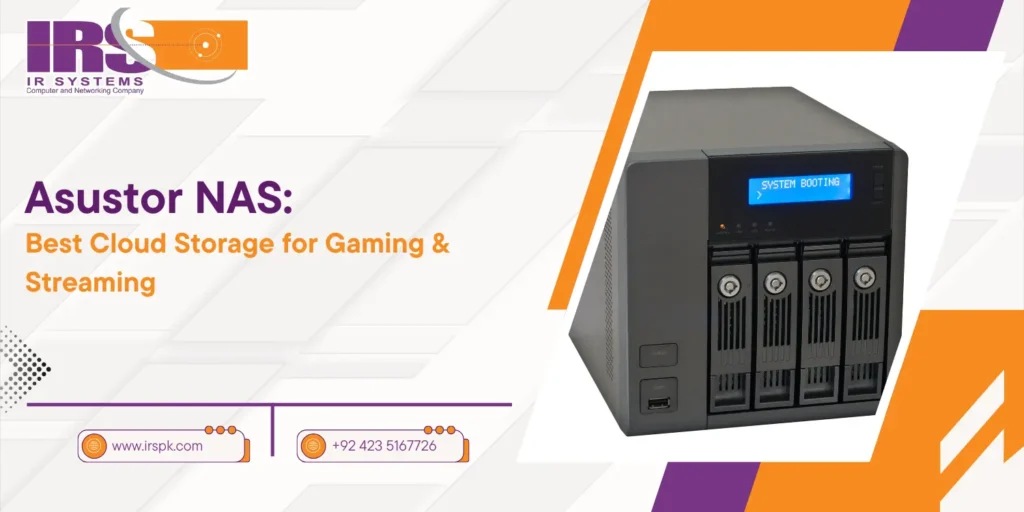
In today’s digital landscape, the lines between casual gaming, professional esports, and live streaming have completely blurred. Every session can turn into shareable content, every match into an opportunity for growth, and every stream into a career move. With this massive influx of high-definition gameplay, simultaneous recording, overlays, and audio syncing, having reliable storage is no longer optional—it’s crucial. Asustor, a name trusted in the NAS world, brings cloud-enabled storage to the forefront for creators who need power, speed, and flexibility. This blog explores how Asustor NAS storage systems are transforming the way gamers and streamers handle their data. You’ll discover which models are ideal for different setups, what features matter most in cloud storage for gaming, how server cloud backup adds extra protection, and why investing in Backup Data Storage can elevate your streaming game. The Gaming & Streaming Data Problem Learn why modern gamers and streamers face serious storage challenges—and why basic hard drives just don’t cut it anymore. Why Traditional Storage Isn’t Enough Anymore The average high-definition game can occupy anywhere from 30GB to 150GB. Now add gameplay recordings, editing files, visual assets, intros, thumbnails, and backup copies. You’re suddenly dealing with several terabytes of data—growing weekly. External hard drives can fail, SSDs fill up fast, and cloud subscriptions can get expensive and limited. Streaming platforms like Twitch and YouTube don’t store content forever. Many creators are now turning to Asustor NAS storage to manage everything from gameplay archiving to automatic uploads and multi-device access. Why Asustor Stands Out in the Gaming World Discover how Asustor NAS is more than storage—it’s a personal game server with powerful features tailor-made for streamers. Not Just a Storage Box—It’s Your Personal Game Server Asustor NAS (Network Attached Storage) systems are more than just containers for your data. They act as private servers that operate on your home or studio network and extend into the cloud. Let’s explore what makes them perfect for gamers: High-Speed Access: Many Asustor units feature 2.5GbE or even 10GbE LAN ports for ultra-fast transfers—no lag between your PC and storage. App Ecosystem: Tools like Plex, LooksGood, and Surveillance Center allow you to manage, stream, and secure your content effortlessly. HDMI Output: Certain Asustor devices allow you to connect directly to a monitor or TV, enabling playback without needing another computer. Seamless Backup: The ADM (Asustor Data Master) system allows automated server cloud backup to services like Google Drive and Dropbox. Top Features of Asustor NAS Storage Systems for Streamers Explore key Asustor NAS functions like 4K transcoding, RAID protection, and media streaming that elevate your creative workflow. Custom Features That Make a Real Difference Whether you’re a Twitch beginner or a YouTube veteran, Asustor offers core advantages you won’t find in standard storage setups: Snapshot Protection: Roll back changes or recover from data corruption instantly. 4K Video Transcoding: Stream and edit game recordings smoothly. Hot-Swap Bays: Upgrade your hard drives on the go—zero downtime. Multimedia Streaming: Built-in DLNA server, Plex support, and Kodi apps. RAID Support: Redundancy options to protect against hard drive failure. Best Asustor Models for Gaming & Streaming A quick comparison of the top Asustor NAS options to suit beginners, pros, and studios—so you can pick what works best for your setup. 1. Asustor AS5402T – Power & Speed Combo CPU: Intel Celeron N5105 RAM: 4GB DDR4 (expandable to 16GB) Connectivity: Dual 2.5GbE LAN Use Case: Streamers who edit content in-house, handle 4K footage, and need lightning-fast file transfer. 2. Asustor AS6704T – Professional Streamer Setup CPU: Intel Celeron N5105 Quad-Core Drive Bays: 4-bay with NVMe SSD caching Expandability: Upgradable RAM, dual LAN, and HDMI 2.0 support Use Case: Gaming studios or creators managing large collaborative projects. 3. Asustor Drivestor 4 Pro – Budget-Friendly Entry CPU: Realtek Quad-Core Drive Bays: 4 Connectivity: 2.5GbE Use Case: New streamers looking for affordable but effective Backup Data Storage. Server Cloud Backup: Safety Net for Your Content Asustor’s built-in server cloud backup tools make your content nearly disaster-proof. Whether you’re concerned about accidental deletion, hardware failure, or ransomware, Asustor’s multiple-layer backup strategy has your back: Hybrid Backup Sync: Automatically copy content to Google Drive, Dropbox, OneDrive, or another NAS. Remote Syncing: Easily sync between locations—ideal for traveling streamers. Multi-Version Control: Store previous file versions to protect against accidental overwrites. Encrypted Transfers: All backups are secured with AES-256 encryption. Key Benefits for Gamers & Streamers Using Asustor NAS Storage From energy efficiency to mobile access, here’s why Asustor makes everyday content creation smoother and safer. Streamlined Workflow Edit videos directly from the NAS, no need to copy them to your local PC first. Accessible Anywhere Use the AiMaster mobile app to monitor, upload, or stream content from anywhere in the world. Energy Efficient Run your NAS 24/7 without the power drain of a full gaming rig. Centralized Library Store, organize, and tag game footage, intros, clips, and other assets for easy search and retrieval. How to Set Up Asustor NAS for Streaming in 5 Easy Steps Select the Right Model: Choose based on your needs—number of drive bays, RAM, and network speed. Install Drives: Use compatible SSDs or HDDs; configure RAID if desired. Connect to Network: Plug into your router or switch via Ethernet. Setup ADM: Initialize your NAS using the Asustor Data Master platform. Install Media Apps: Add Plex, LooksGood, or any editing tools directly through the App Central. Conclusion In a world where data is king, especially in gaming and streaming, storage can’t be an afterthought. As we saw in the introduction, the volume and sensitivity of content require something stronger than an external HDD or a standard cloud account. Asustor NAS storage systems offer performance, accessibility, and backup intelligence all in one platform—giving creators more time to focus on what they love. If you’re serious about content creation and want reliable Backup Data Storage with scalable performance, Asustor is your go-to solution. It’s time to upgrade your workflow with the ultimate tool for digital creators. Whether you’re unsure which model suits your needs or