IR Systems

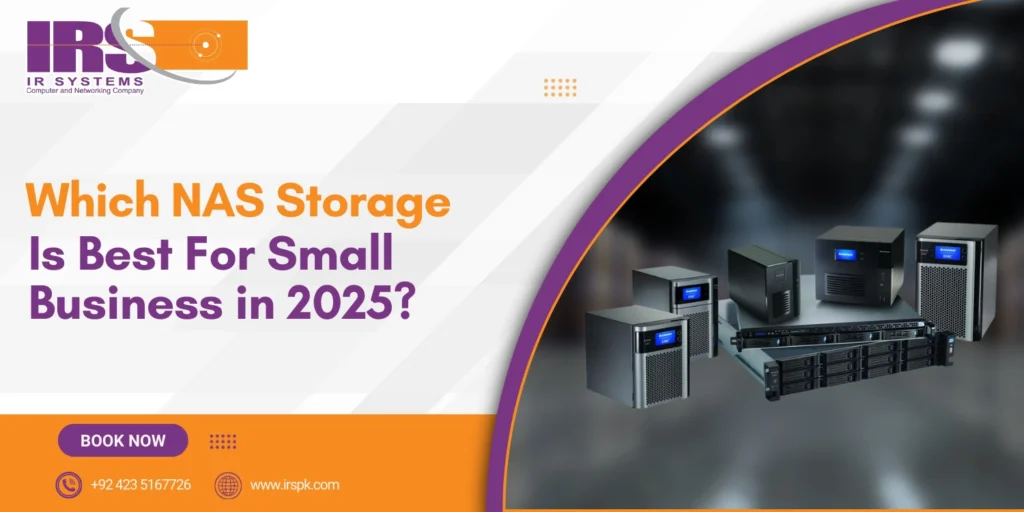
Which NAS Storage Is Best for Small Business in 2025?
NAS storage systems

In today’s fast-paced digital environment, data is the backbone of every business. Whether you’re running a design agency, a retail shop, a law firm, or a startup, securely storing and accessing business data is a necessity, not a luxury. For small businesses, managing files, ensuring backups, and sharing data across departments or remote teams can become chaotic without a centralized solution. That’s where NAS storage devices in Pakistan (Network Attached Storage) steps in. It’s more than just a hard drive – it’s a smart investment in your business continuity, collaboration, and data security. In this blog, we’ll break down what NAS storage is, how it works, and most importantly, which NAS storage is best for small businesses in 2025. Whether you’re new to network access storage or looking to upgrade, IR Systems is here to guide your journey. Understanding NAS: A Smart Choice for Small Businesses NAS stands for Network Attached Storage, a system that connects to your business network and allows multiple users and devices to store and retrieve data from a centralized location. Unlike external drives or cloud-only solutions, NAS offers the flexibility of local access with the scalability and security that growing businesses demand. Why NAS is Ideal for Small Businesses: Centralized Data Storage Automated Backup Solutions File Sharing Across Teams Access from Anywhere (Remote Work Compatible) Scalable as Your Business Grows Cost-Effective Compared to Cloud Subscriptions Whether you’re handling client files, internal documents, or sensitive records, NAS devices keep everything organized and backed up. Key Features to Look for in NAS for Small Business in 2025 When selecting a network attached storage device, small businesses should focus on more than just capacity. The best NAS systems in 2025 combine reliability, performance, and smart features. Here are must-have features: RAID Support: Ensures redundancy and data protection Remote Access: Secure cloud-like access via mobile or desktop Multi-User Support: Allows different access levels for employees Data Encryption: Keeps confidential information safe Integration with Backup Tools: Like Time Machine or Acronis Expandable Bays: Grow your storage as your data grows Energy Efficiency: Lower power consumption saves costs long term IR Systems provides NAS devices that offer all these features and more, customized to suit small business needs. Best NAS Storage Devices for Small Business 2025 Here are our top recommended NAS systems that meet the needs of small businesses in Pakistan and globally: 1. Asustor Lockerstor Series Excellent for businesses handling video editing, graphic design, and large file sharing Intel-powered with SSD caching Fast network access storage performance AES 256-bit encryption for data security 2. QNAP TS-233 Processor Quad-core ARM Cortex-A55 for efficient everyday performance. Drive Bays 2-bay setup supports RAID 0/1 for basic redundancy. Network 1GbE LAN suitable for home and small office environments. Use Case Ideal for basic storage, backups, and cloud sync. 3. Synology DiskStation DS920+ Best for budget-friendly, reliable performance Robust backup solutions and mobile access Great user interface for non-tech teams 4. Infortrend EonStor GSe Pro Enterprise-grade features in a small business package Hybrid cloud support Auto-tiering for better performance IR Systems offers all these models and more, with local support, installation, and backup consultation. How NAS Supports Better Backup Solutions In a world where ransomware and data loss are real threats, backup storage device  must be proactive and secure. A NAS storage device acts as your personal in-office cloud, giving you full control over your backup routines. Benefits of NAS-Based Backups: Schedule daily or weekly backups automatically Keep multiple versions of important files Easily restore data in case of deletion or corruption Sync with offsite or cloud backup systems for double protection Our team at IR Systems ensures that your NAS is configured for optimal backup strategy, combining local and cloud options to keep your business safe. Real Use Cases: How Small Businesses Benefit We’ve seen firsthand how NAS storage for small business clients transforms their operations: Creative Agencies: Store high-res project files with team-wide access Retail Stores: Centralize inventory data and sales reports Consulting Firms: Secure client documents with permission controls Remote Teams: Access shared folders from anywhere in Pakistan Whatever your industry, NAS can streamline your data operations and provide peace of mind. Why Choose IR Systems for Your NAS Needs? At IR Systems, we don’t just sell storage boxes. We provide tailored solutions that match your unique business goals. With years of experience serving small businesses across Pakistan, we offer: Personalized NAS device recommendations On-site installation and configuration Backup and disaster recovery planning Integration with existing IT infrastructure Local customer support you can count on Final Thoughts: Invest in Smart Storage for a Smarter Business In 2025, the best way to manage and protect your business data is with a reliable NAS solution. It offers everything you need: security, scalability, and ease of use. For small businesses aiming to grow, reduce IT complexity, and boost collaboration, a network attached storage device is the way forward. At IR Systems, we make network access storage simple and effective. Ready to Upgrade Your Business Storage? Let’s build a smarter future for your business. Whether you need basic file sharing or advanced backup solutions, IR Systems has the right NAS storage solution for you. Contact us today for a free consultation and let’s find the best NAS storage for your small business in 2025.

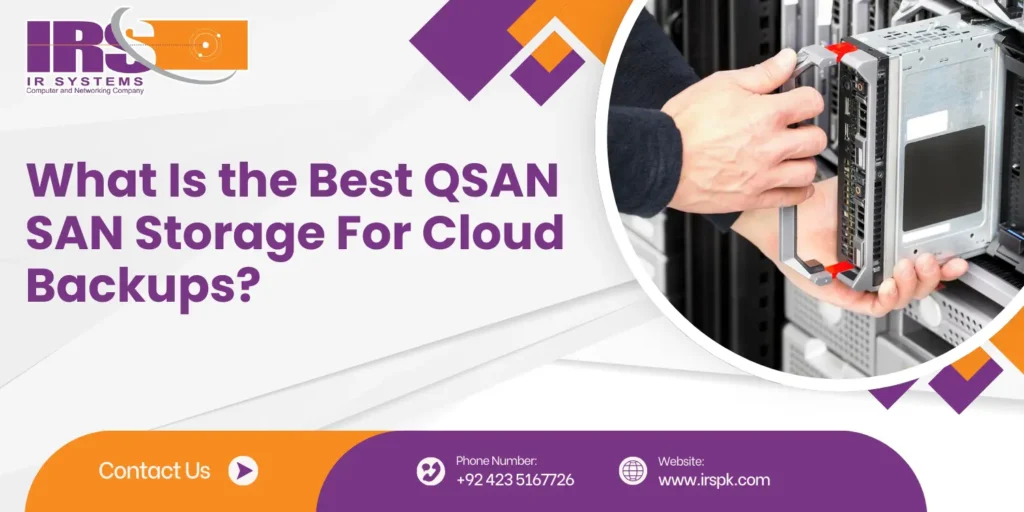
How SAN Storage Boosts Secure Network Backups
SAN Storage devices

In a world where data fuels every decision and operation, businesses can’t afford to take chances with their backup solutions. Whether you’re running a startup or managing enterprise-level infrastructure, the need for reliable, fast, and secure data backups is undeniable. That’s where SAN Storage steps in as a game-changer. In this blog, we’ll explore how SAN storage not only simplifies backup processes but also enhances network security, performance, and scalability. We’ll also look into how SAN integrates with other storage solutions like Asustor NAS storage systems and supports efficient server cloud backup. Understanding the Basics: What is SAN Storage? SAN stands for Storage Area Network. It is a dedicated high-speed network that connects multiple storage devices to servers, making data available at the block level. Unlike direct-attached storage or basic network-attached storage, SAN storage offers enhanced performance, centralized management, and robust security features. As a key provider in this space, IR Systems specializes in offering tailored SAN storage solutions that empower businesses with dependable and scalable backup options. The Real Value: Why SAN Storage Matters for Backups SAN storage ensures faster, safer, and more reliable backups. It keeps your data centralized, reduces downtime, and gives you full control – making it a smart choice for any secure backup strategy: 1. Enhanced Backup Speeds One of the main challenges in traditional backup systems is the time they take. With SAN storage, data moves through high-speed fiber channels or Ethernet, drastically reducing backup windows. Your business operations won’t have to slow down just because backups are running. 2. Centralized Data Management Managing data across multiple servers can be overwhelming. QSAN centralizes all your storage, allowing you to control backup processes from a single point. This not only saves time but also reduces human errors. 3. Reliable Data Availability With SAN’s redundancy features and high availability, you’re not just backing up your data – you’re ensuring it’s always accessible, even in the face of hardware failures or cyber incidents. Fortifying Backup Security with SAN SAN storage strengthens backup protection by isolating data and preventing unauthorized access, ensuring your critical files stay safe: 1. Isolated Backup Environment SAN storage operates on a separate network, keeping it isolated from the main traffic. This isolation acts as a shield, making it more difficult for cyber attackers to infiltrate backup systems. 2. Advanced Access Controls Many SAN storage area network devices come equipped with role-based access and encryption options. This ensures only authorized users can access or modify backup data, making your backups not just secure but also compliant with data regulations. 3. Faster Disaster Recovery In the event of a disaster, time is critical. SAN storage allows for quick data recovery, helping businesses bounce back faster with minimal losses. Integration with server cloud backup further adds resilience to your disaster recovery strategy. Seamless Integration with Server Cloud Backup Businesses today are increasingly opting for hybrid storage solutions – a mix of on-premise and cloud. SAN storage can work hand-in-hand with server cloud backup, offering both local speed and remote redundancy. Data can be first written to the SAN system for fast access and then mirrored to the cloud for offsite protection. IR Systems offers integration – ready SAN setups that support such dual backup environments effortlessly. How SAN and Asustor NAS Storage Systems Work Together While SAN excels in block-level storage and performance, Asustor NAS storage systems are known for their file-sharing and user-friendly interfaces. Combining the two offers flexibility. Use SAN for performance-critical operations and backups, and NAS for everyday file access and collaboration. This balanced approach ensures data is not only safe but also readily available for your teams. At IR Systems, we help configure systems that blend SAN storage with Asustor NAS devices, creating a powerful and cost-effective storage ecosystem. Designed to Grow: SAN’s Scalability Advantage Every business grows, and so does its data. SAN storage is inherently scalable. You can start with a few terabytes and expand to petabytes without reconfiguring your existing setup. This makes SAN an ideal long-term solution for businesses that are growing or expect to scale their operations. With IR Systems, you get the guidance and hardware support needed to scale your storage efficiently. Why Businesses Trust IR Systems for SAN Storage At IR Systems, we understand that secure data backups are more than just a technical requirement – they’re the backbone of business continuity. Our team specializes in deploying tailored SAN storage solutions that align with your specific needs, whether you’re focused on data protection, disaster recovery, or performance optimization. We not only provide high-performance storage area network devices but also ensure seamless integration with cloud services and NAS systems, offering a complete, secure storage strategy. Final Thoughts: SAN Storage is the Foundation of Secure Backups In an age where data loss can mean financial and reputational damage, having the right storage solution is crucial. SAN storage offers unmatched speed, security, and scalability, making it the preferred choice for modern network backups. By combining SAN with server cloud backup and Asustor NAS storage systems, businesses can build a robust, flexible, and secure data environment. Secure Your Data Today with IR Systems If you’re ready to take your backup strategy to the next level, IR Systems is here to help. Our SAN storage solutions are designed for performance, built for security, and customized for you.Visit IR Systems to get started or contact us today for a free consultation. Let’s build a safer, smarter storage future together.

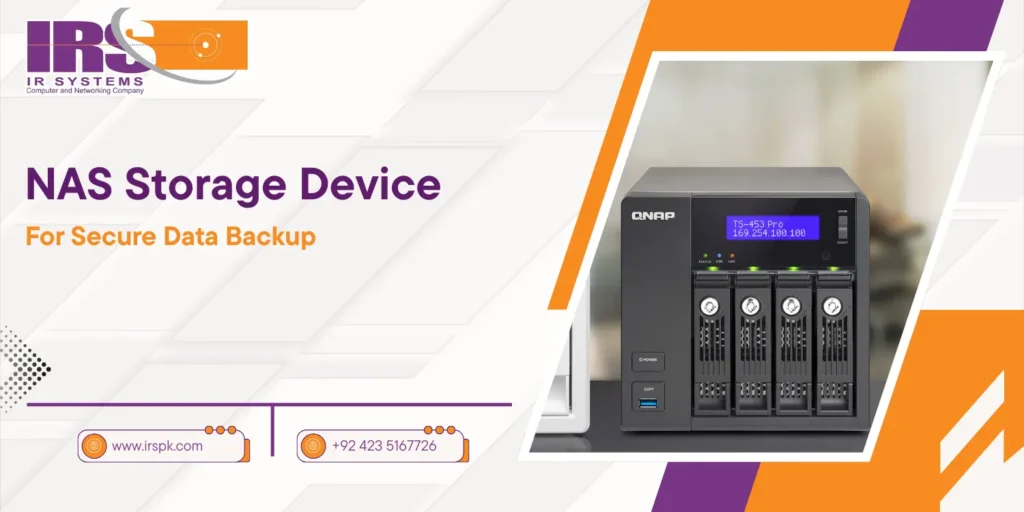
NAS Storage Device for Secure Data Backup
NAS Storage Device

In the modern era, data has become the backbone of business operations, making its protection a priority. For organizations, both large and small, securing valuable data against loss or corruption is essential. NAS storage (Network-Attached Storage) devices have become a go-to solution for this very reason. These systems offer a centralized, secure, and accessible platform for managing and backing up important data. A network-attached storage device ensures that businesses can protect their data while providing quick access to it across the network. This article delves deep into NAS storage, explaining its key features, how it enhances data security, and why it’s an ideal solution for businesses of all sizes. Whether you’re a small business seeking cost-effective backup solutions or a larger enterprise in need of scalable storage, NAS storage offers unmatched security and reliability. Furthermore, we will explore the benefits of integrating network access storage with cloud backup services, ensuring that your data is always protected. What is NAS Storage and How Does it Work? At its core, NAS storage refers to a dedicated storage device connected to a network, which allows multiple users and devices to access the stored data. Unlike traditional hard drives that connect directly to a single computer, NAS provides centralized storage, allowing for better data organization, access control, and enhanced collaboration. NAS devices are perfect for businesses that need a secure, easily accessible, and scalable solution for data storage. Whether it’s for backup purposes, file sharing, or as a media server, network-attached storage devices can be used in various ways to streamline data management. Why NAS Storage is Essential for Secure Data Backup NAS storage provides secure, centralized data backup with redundancy and encryption, ensuring protection against data loss and unauthorized access: Centralized Data Storage  The primary advantage of NAS storage is its centralized nature. Instead of spreading data across multiple hard drives or devices, NAS consolidates all files into one easy-to-manage location. This centralization not only simplifies data backup but also provides better control over who accesses and edits the stored data. Scalability for Growing Data Needs  NAS storage devices are designed to scale with your business. As your data storage needs grow, you can easily add more drives or upgrade existing storage systems without disrupting your operations. This scalability is especially beneficial for businesses that anticipate an increase in data volume over time. Easy Data Access NAS devices provide quick access to stored data from anywhere in the network, ensuring seamless sharing and collaboration. Whether your team is in the office or working remotely, they can access the files they need without delay. NAS Storage for Small Businesses: A Cost-Effective Solution NAS storage for small business is the perfect choice for those who want to maintain a reliable and cost-efficient backup solution without the need for complex infrastructure. Small businesses face unique challenges when it comes to data protection, often lacking the resources for expensive server-based solutions or IT departments to manage them. With NAS storage, small businesses can achieve enterprise-level backup and data protection without breaking the bank. A network-attached storage device is easy to set up, manage, and maintain. Most NAS systems come with pre-configured software that simplifies data backup, making it ideal for businesses that don’t have dedicated IT teams. Moreover, NAS devices offer built-in redundancy features such as RAID (Redundant Array of Independent Disks) to ensure that data remains accessible even in the event of hardware failure. This ensures your business is always protected, even if one of the storage drives fails. How Network Access Storage Enhances Security Security is a top concern when managing sensitive data, and network access storage (NAS) provides several layers of protection to keep your data safe. Whether you’re dealing with customer data, financial records, or intellectual property, NAS systems offer robust security features to prevent unauthorized access. Many NAS storage devices come equipped with data encryption, both at rest and in transit, ensuring that data is securely stored and transferred across the network. Additionally, access controls can be easily configured, allowing businesses to grant or restrict access to specific users or devices. This ensures that sensitive data is only available to those who need it. Cloud Backup Integration for Enhanced Data Protection While NAS storage devices provide excellent local backup solutions, integrating them with cloud backup services offers an additional layer of security. Cloud backup ensures that your data is stored remotely, providing protection against physical threats such as fires, floods, or theft that could affect on-site storage systems. By using a NAS devices with cloud backup capabilities, businesses can implement a hybrid storage solution that combines the speed and security of local backups with the redundancy of cloud storage. This dual approach ensures that your business data is always accessible and protected from any threat, whether physical or cyber-related. Key Features to Look for in NAS Storage Devices When selecting a NAS storage devices for your business, it’s crucial to consider several factors that can enhance performance, security, and usability. Some of the key features to look for include: Capacity & Expandability: Choose a NAS that fits your current storage needs and can easily be expanded as your business grows. Data Redundancy Options: Opt for NAS devices with RAID configurations to protect against data loss in case of a drive failure. Security Features: Ensure that the device offers encryption, strong access controls, and user authentication mechanisms to keep your data secure. Ease of Use: Look for a network-attached storage device with an intuitive interface for easy setup and management. Cloud Integration: A NAS system with cloud backup capabilities offers an additional layer of protection and redundancy. Setting Up NAS Storage for Secure Data Backup Setting up a NAS storage devices is relatively simple, especially with the user-friendly interfaces offered by many modern systems. Here’s a step-by-step guide on how to set up your NAS for secure data backup: Choose the Right NAS Device: Start by selecting a NAS system that meets your storage and security needs. Install Hard Drives: Insert the